
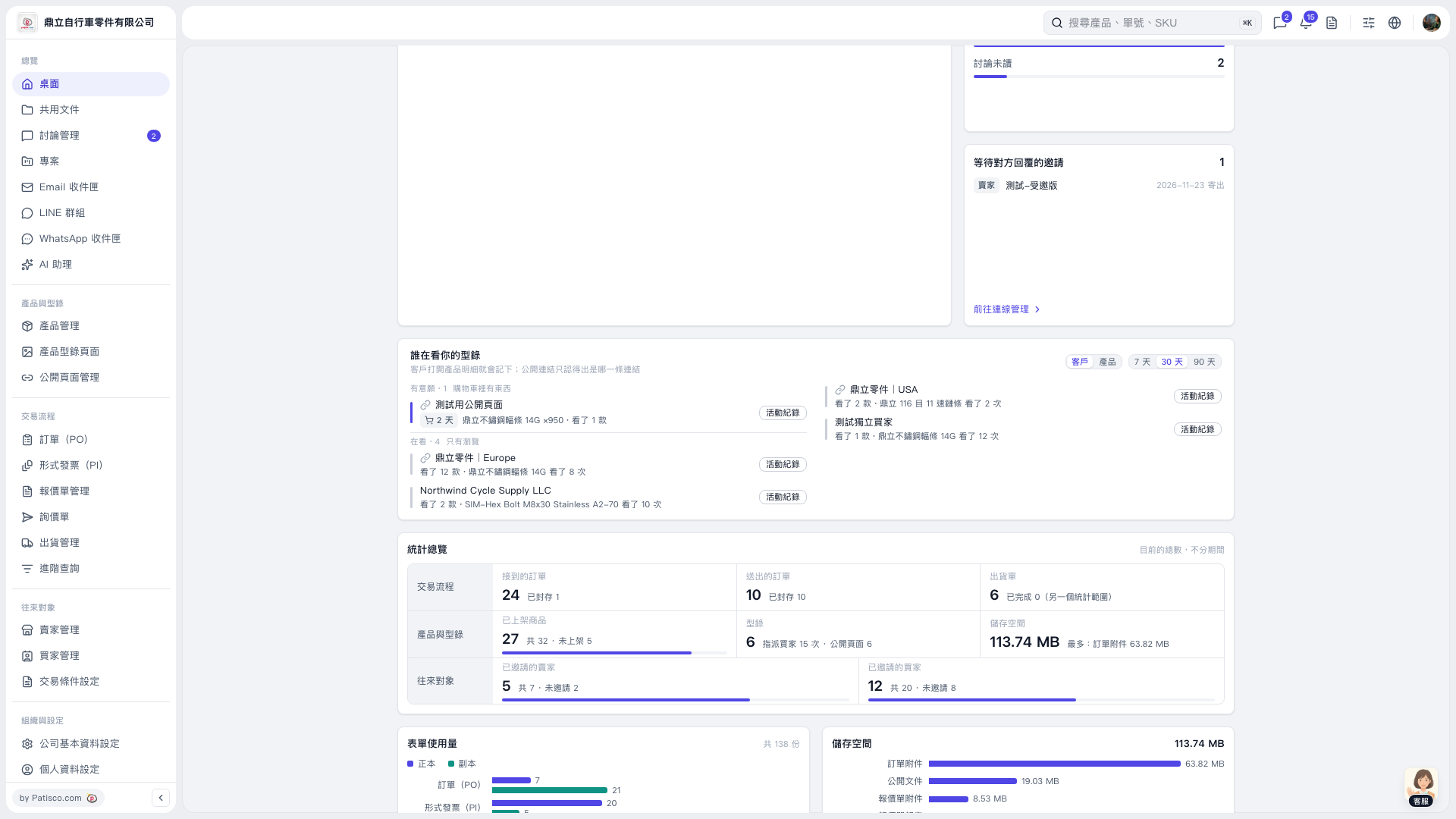
1. Click "Desktop" in the left sidebar to open the dashboard. 2. Scroll down to the "Who's viewing your catalog" card. 3. Click "Customers" or "Products" in the upper right of the card to choose which dimension to view by. 4. Click "7 days", "30 days", or "90 days" to set the statistics period. 5. Check the list: "Interested" means there are items in the cart, and "Viewing" means they have only browsed. 6. To see a customer's detailed browsing behavior, click "Activity log" on the right side of that row.
 V5 新桌面版|桌面(儀表板)