
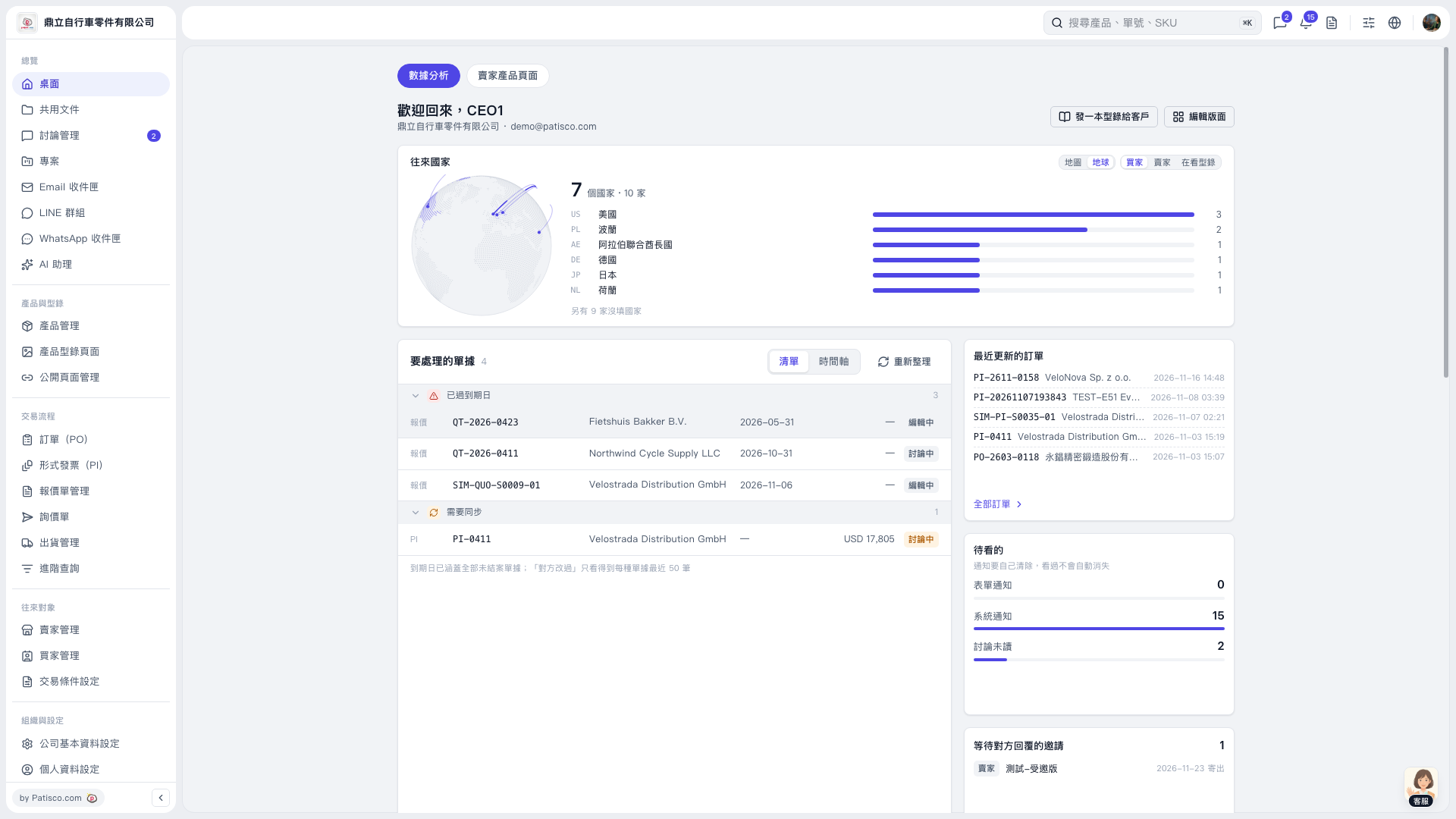
1. Click "Desktop" in the left sidebar to open the dashboard (the "Analytics" tab at the top of the page is this screen). 2. Find the "Documents to handle" card. Each entry shows the document type, document number, trading partner, due date, amount, and status (Editing / Under discussion). Documents that are past their due date or need syncing are easy to spot here. 3. In the upper right of the card, you can switch the display between "List" and "Timeline". 4. Click any document to open its detail page and continue editing or follow up. 5. To load the latest status, click "Refresh" in the upper right of the card. 6. To see recent changes, check the "Recently updated POs" card. Click "All POs" at the bottom to go to the full PO list.
 V5 新桌面版|桌面(歡迎回來,CEO1)