
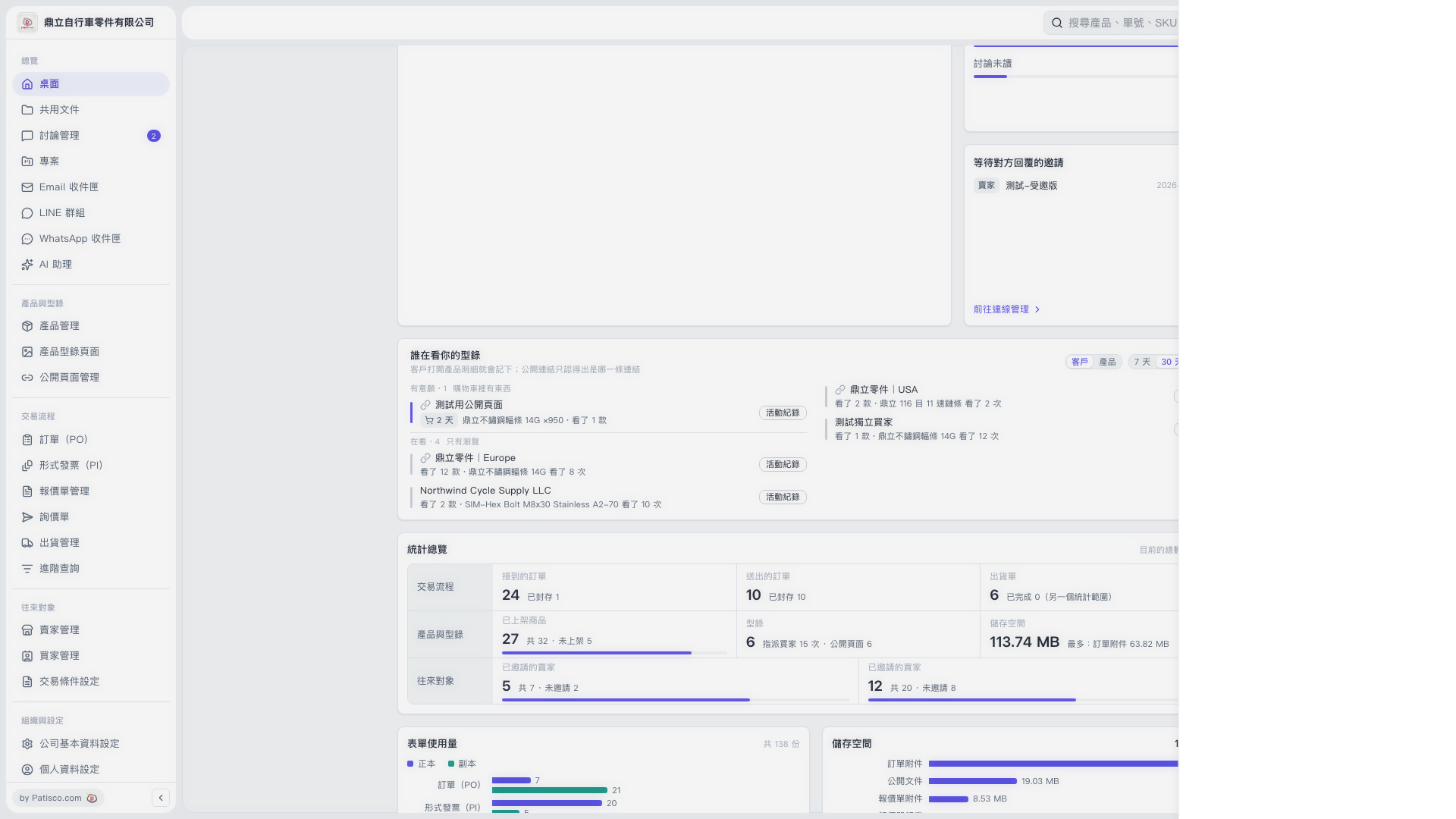
1. Confirm in the left sidebar that you are on "Dashboard", then scroll down to the "Who's viewing your catalog" section. 2. Find the "Interested · Items in cart" category. The customers here have already added products to their cart. 3. The cart badge on each row shows how many days the cart has had items in it (for example, "2 days"), and also lists the products and quantities in the cart. 4. The number of days shows how long the products have been sitting in the cart. You can contact these customers first and follow up on their needs. 5. To learn more about what this customer has viewed, click "Activity log" on the right side of that row. 6. This section is for viewing only. It does not change the contents of the customer's cart.
 V5 新桌面版|桌面(儀表板)