
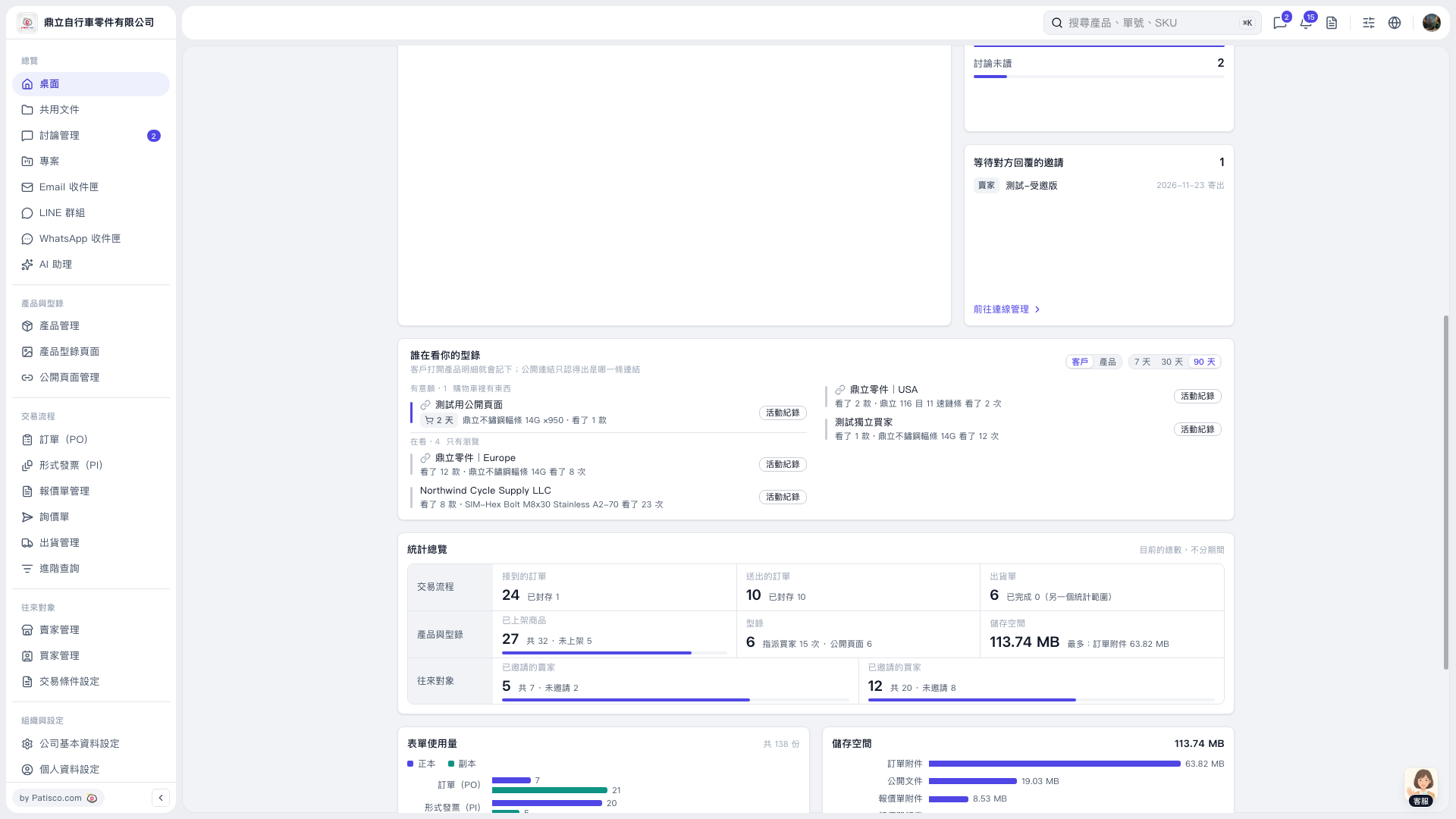
1. Click "Desktop" in the left sidebar to open the dashboard. 2. Scroll down to the "Who's viewing your catalog" card. 3. Use the "Customers / Products" toggle in the upper right of the card to switch the view dimension and display by customer or by product. 4. Use "7 days / 30 days / 90 days" to switch the statistics time range. 5. To see the detailed browsing behavior of a row, click "Activity log" on the right side of that row. After you change the time range, the list data takes a moment to load. During that time a skeleton screen (gray loading placeholders) is shown first, and it is replaced with the actual content once loading is complete.
 V5 新桌面版|桌面(儀表板)