
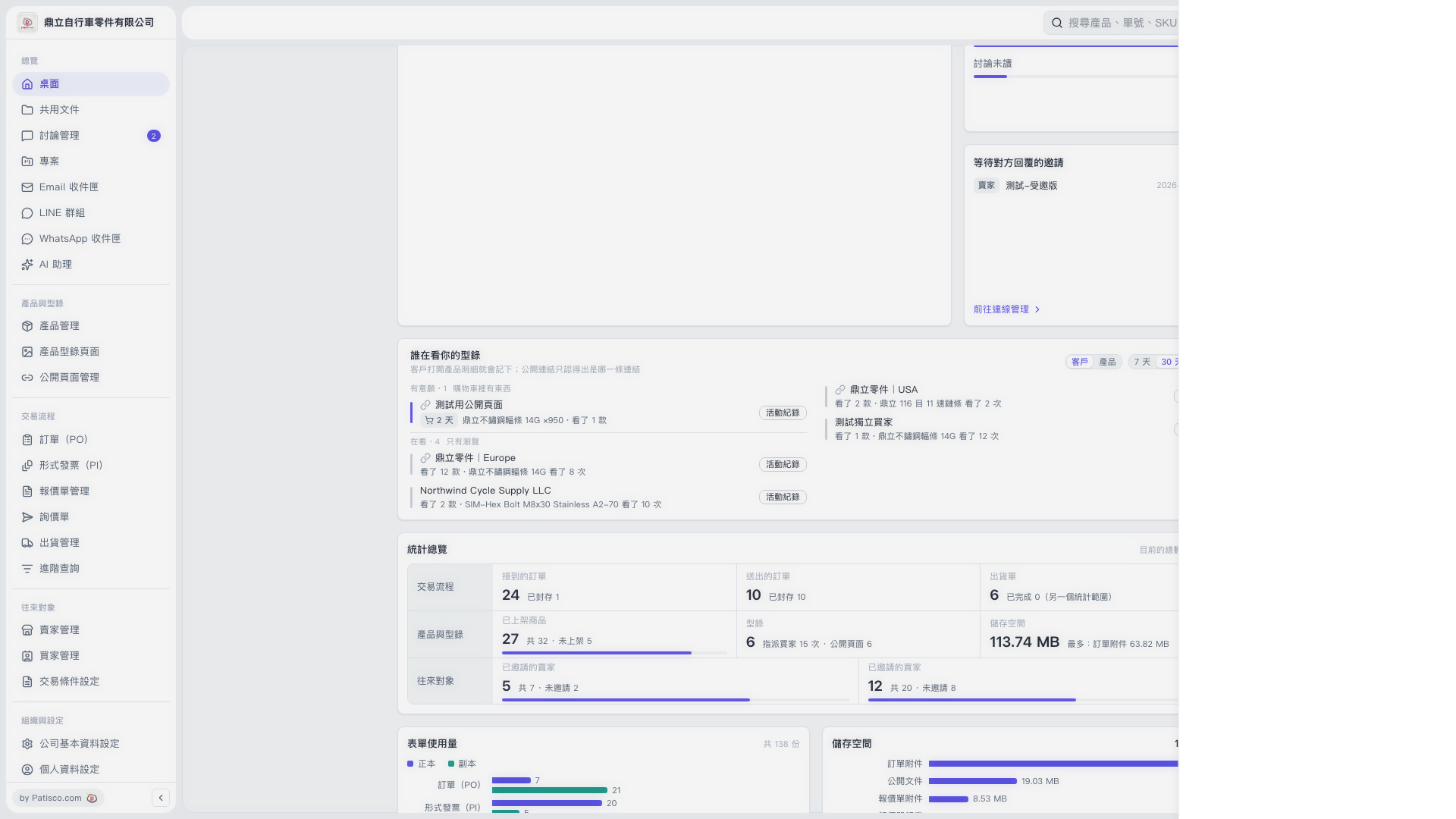
1. After logging in to V5, confirm in the left sidebar that you are on "Dashboard". 2. Scroll down to the "Who's viewing your catalog" section to see which customers are browsing the catalog. 3. To change the view, click "Customers" or "Products" at the top right of the section. You can view the browsing data by customer or by product. 4. In the same spot, "7 days" or "30 days" switches the time range of the statistics. 5. To see a customer's detailed browsing behavior, click "Activity log" on the right side of that row.
 V5 新桌面版|桌面(儀表板)