
1. Click "Desktop" in the left sidebar to open the dashboard. 2. Scroll down to "Statistics overview". 3. Under "Trading workflow", you can see received POs, sent POs, and shipping documents. 4. Under "Products and catalogs", you can see listed products, catalogs, and storage. 5. Under "Trading partners", you can see invited sellers and invited buyers. 6. Further down are "Document usage" (originals / copies) and "Storage" (PO attachments, public documents, quotation attachments).
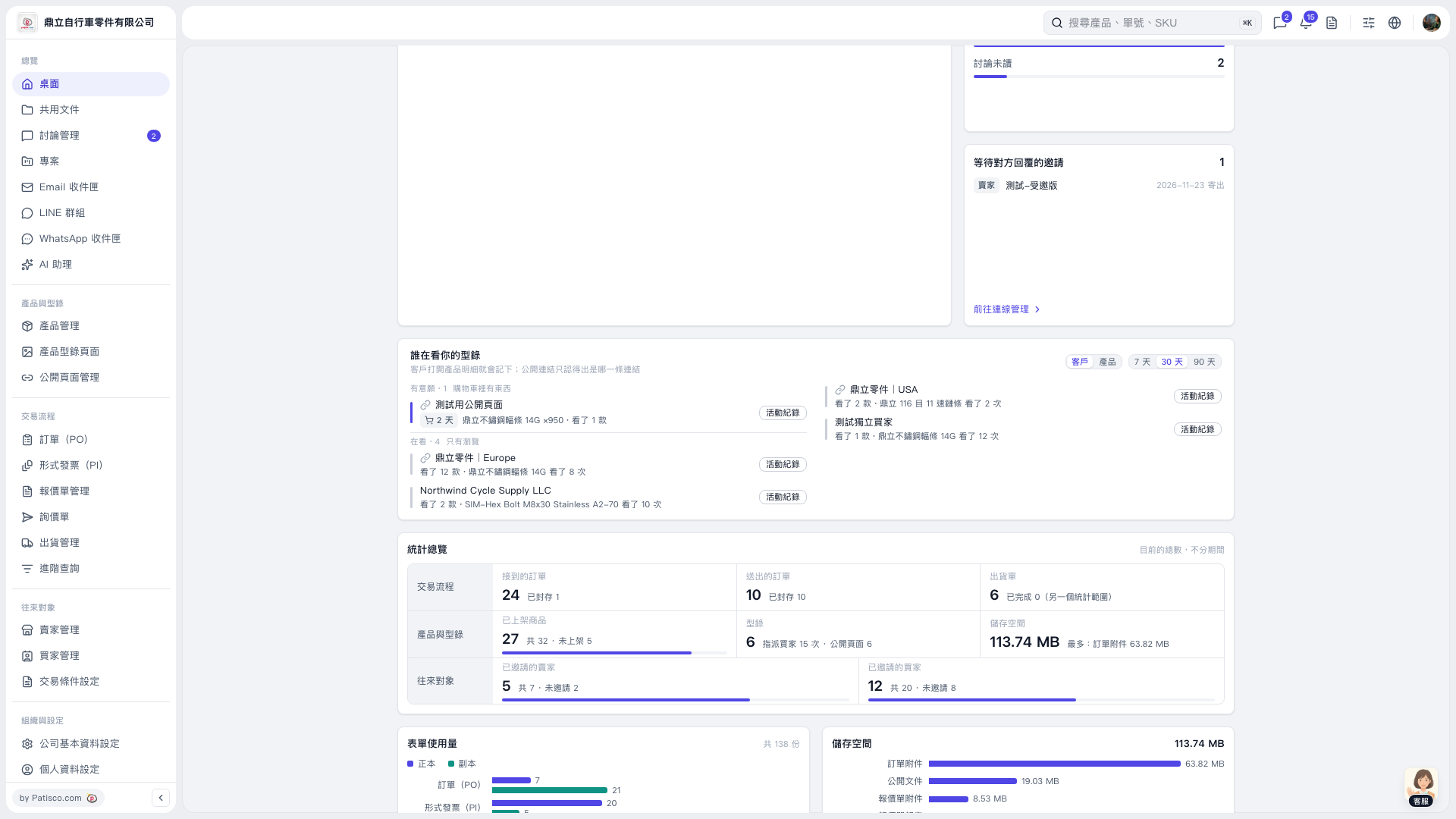 V5 新桌面版|桌面(儀表板)