
1. Click "Desktop" in the left sidebar to open the dashboard. 2. Scroll down to the "Who's viewing your catalog" card. 3. In the upper right of the card, choose "Customers" or "Products" to decide whether to view browsing records by customer or by product. 4. Check the list. Customers are divided into two groups: "Interested" and "Viewing". 5. To see more detailed browsing behavior, click "Activity log" on the right side of that row.
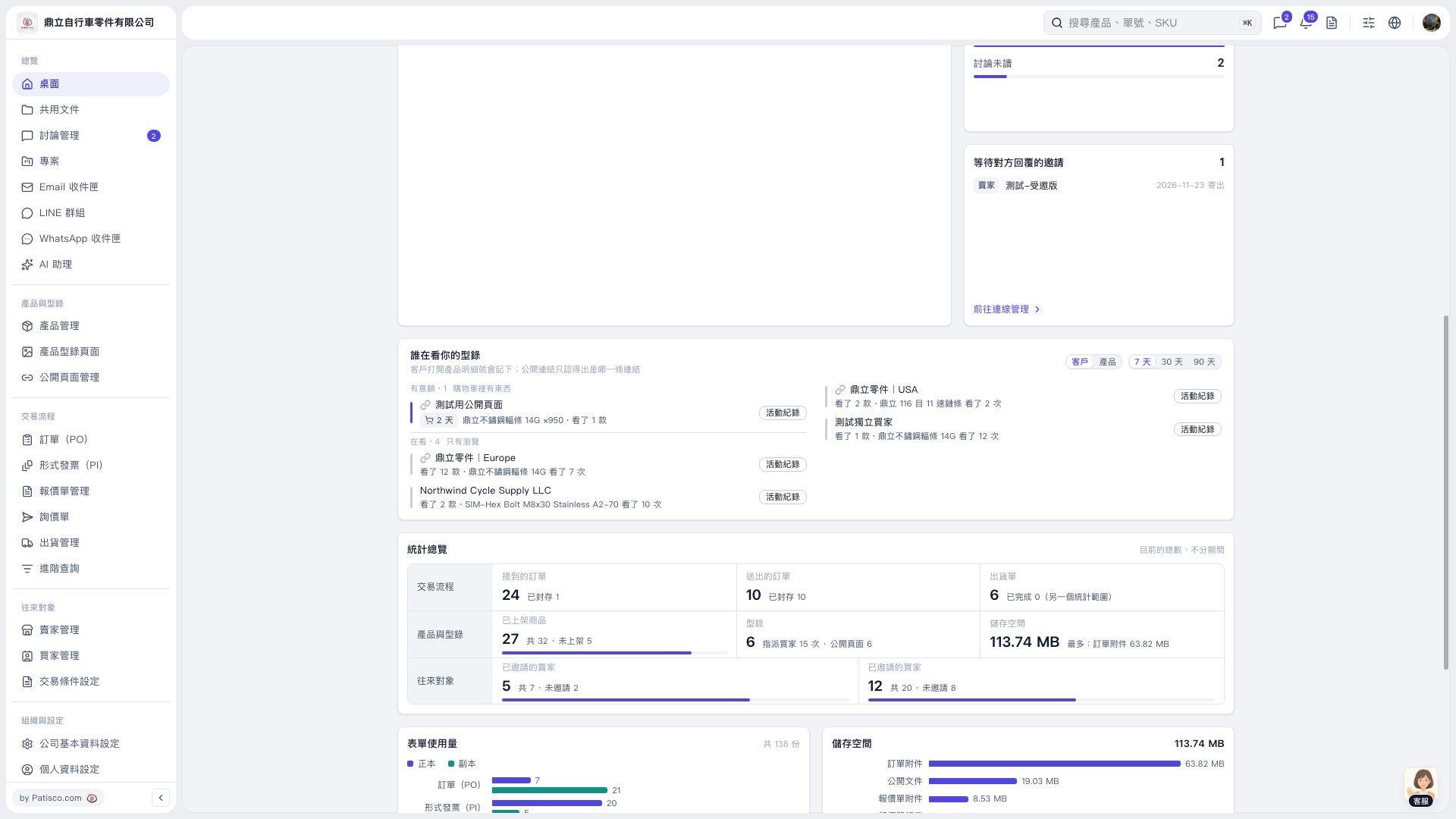 V5 新桌面版|桌面(總覽儀表板)