
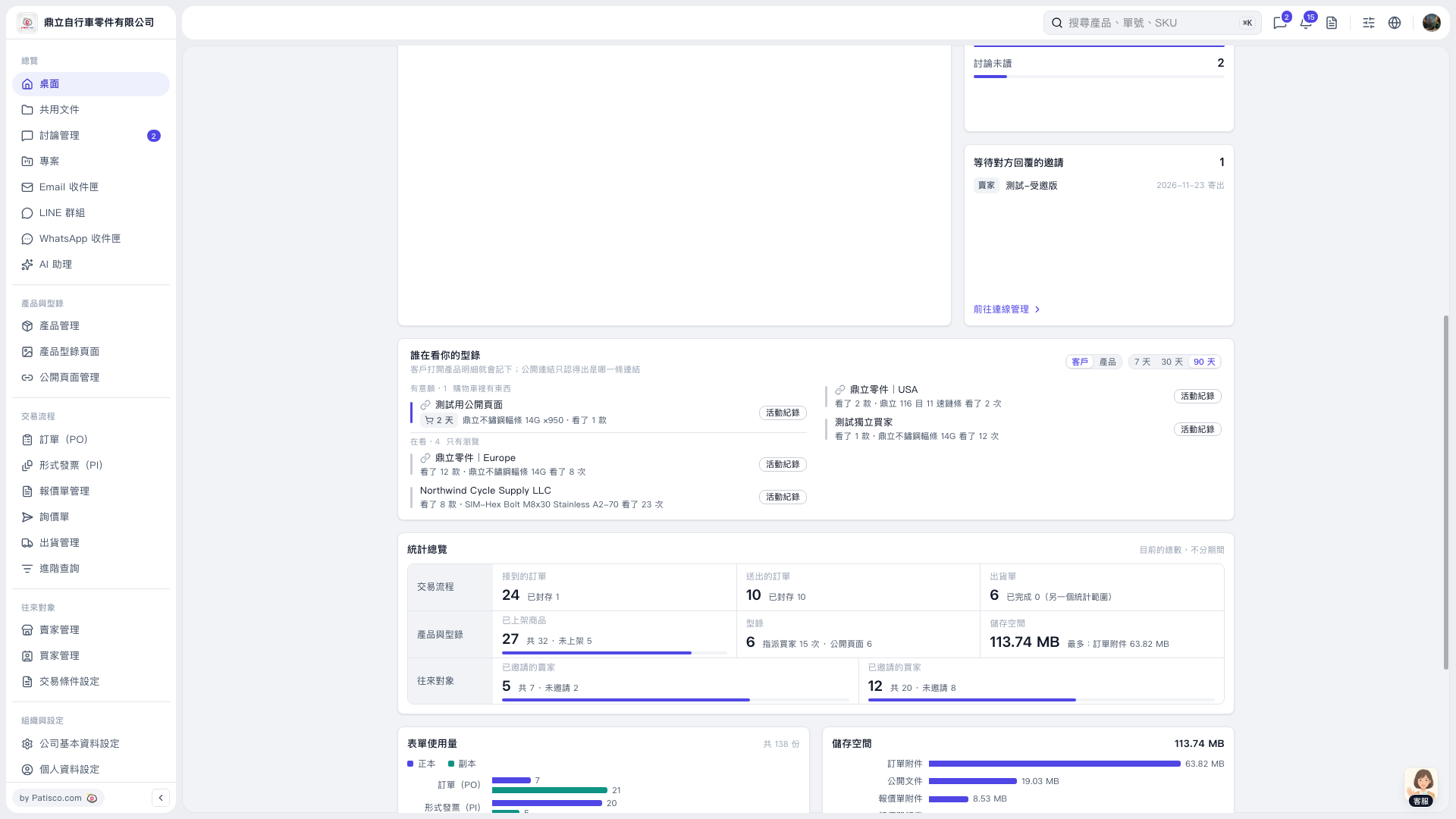
1. Click "Desktop" in the left sidebar to open the dashboard. 2. Find the "Invitations awaiting reply" card on the right side. 3. Click "Go to Connection Management" at the bottom of the card to open the Connection Management page, where you can view or handle the invitations you have sent. To see the counts of POs, shipping documents, listed products, catalogs, trading partners, and storage, keep scrolling down to "Statistics overview".
 V5 新桌面版|桌面(儀表板)