
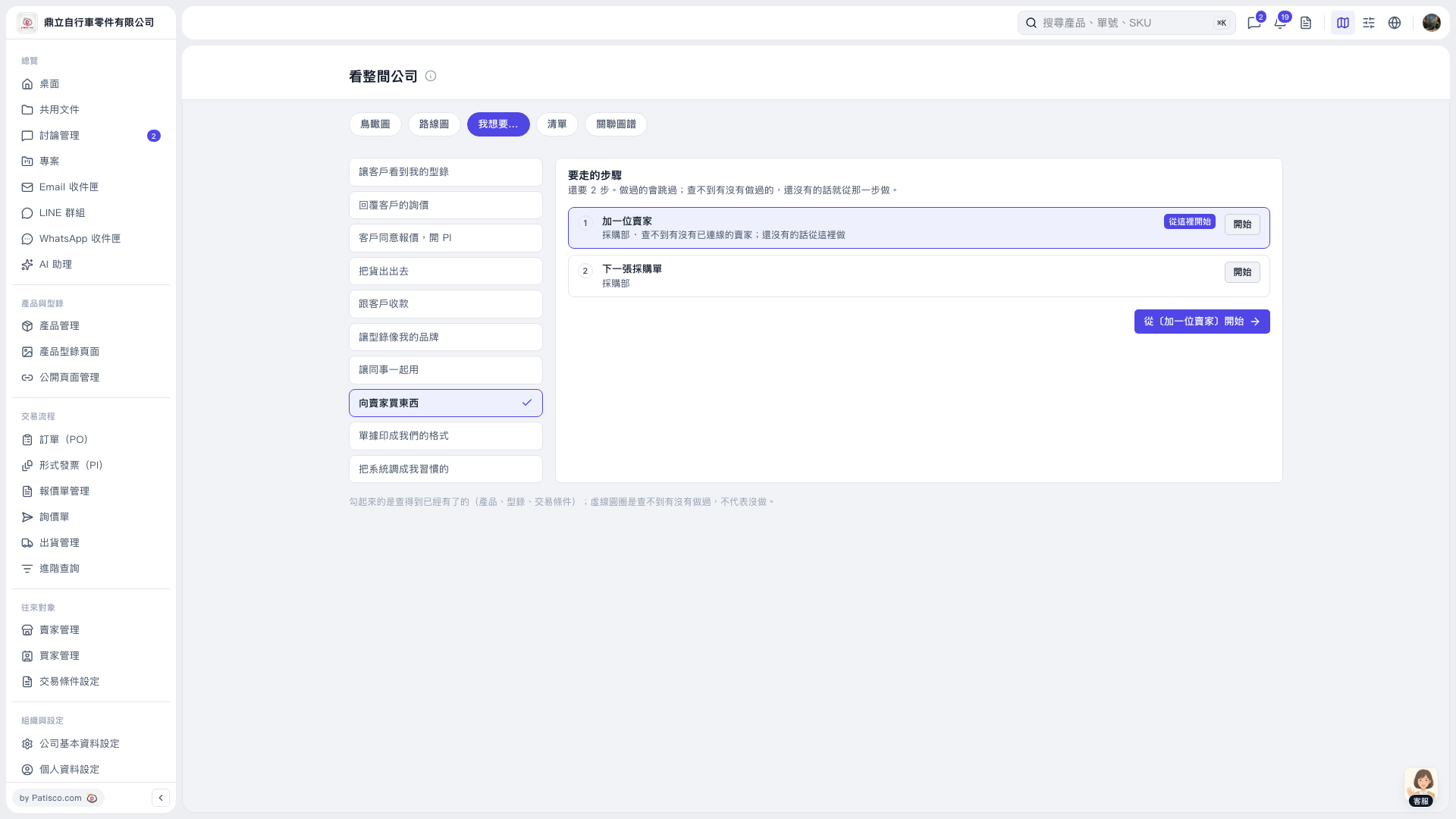
1. Go to the "Company Overview" page and make sure the top tab is set to [I want to…]. 2. In the goal list in the middle, click [Buy from a seller]. The steps to follow appear on the right: Add a seller → Next PO. 3. Read the description of Step 1, "Add a seller" (handled by the Purchasing team). If the system finds no connected seller, start from this step. 4. Click [Start from [Add a seller]] at the bottom of the right panel, or click [Start] next to the "Start here" label on Step 1, and add the seller as shown on screen. 5. Once the seller is created, return to this page and click [Start] on Step 2, "Next PO", to create the PO.
 V5 新桌面版|看整間公司