
1. Open the PI details page. First, confirm that the status at the top is “Awaiting Payment” and the payment section shows PAYUNi as “Unpaid”. 2. Click [Edit] in the title bar at the upper right. 3. In this case, no warning appears. You enter edit mode directly, and [Cancel] and [Save] appear at the bottom of the screen. 4. Click [Save] to keep your changes. To leave without keeping them, click [Cancel]; the changes will not be saved. Note: After you enter edit mode, the status at the top remains “Awaiting Payment”. The PI returns to the discussion status only after you save.
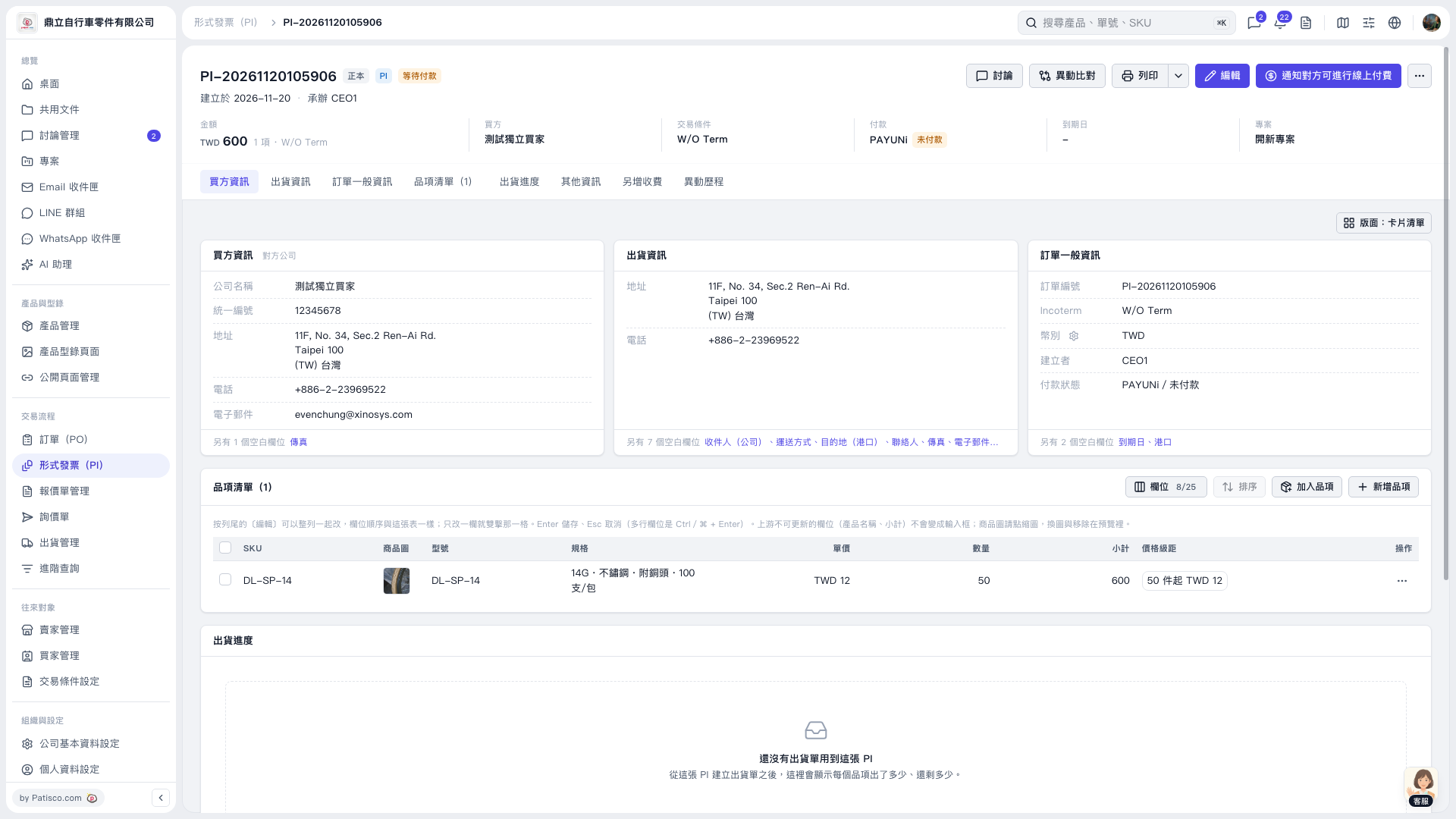 V5 新桌面版|PI-20261120105906(形式發票詳情)