
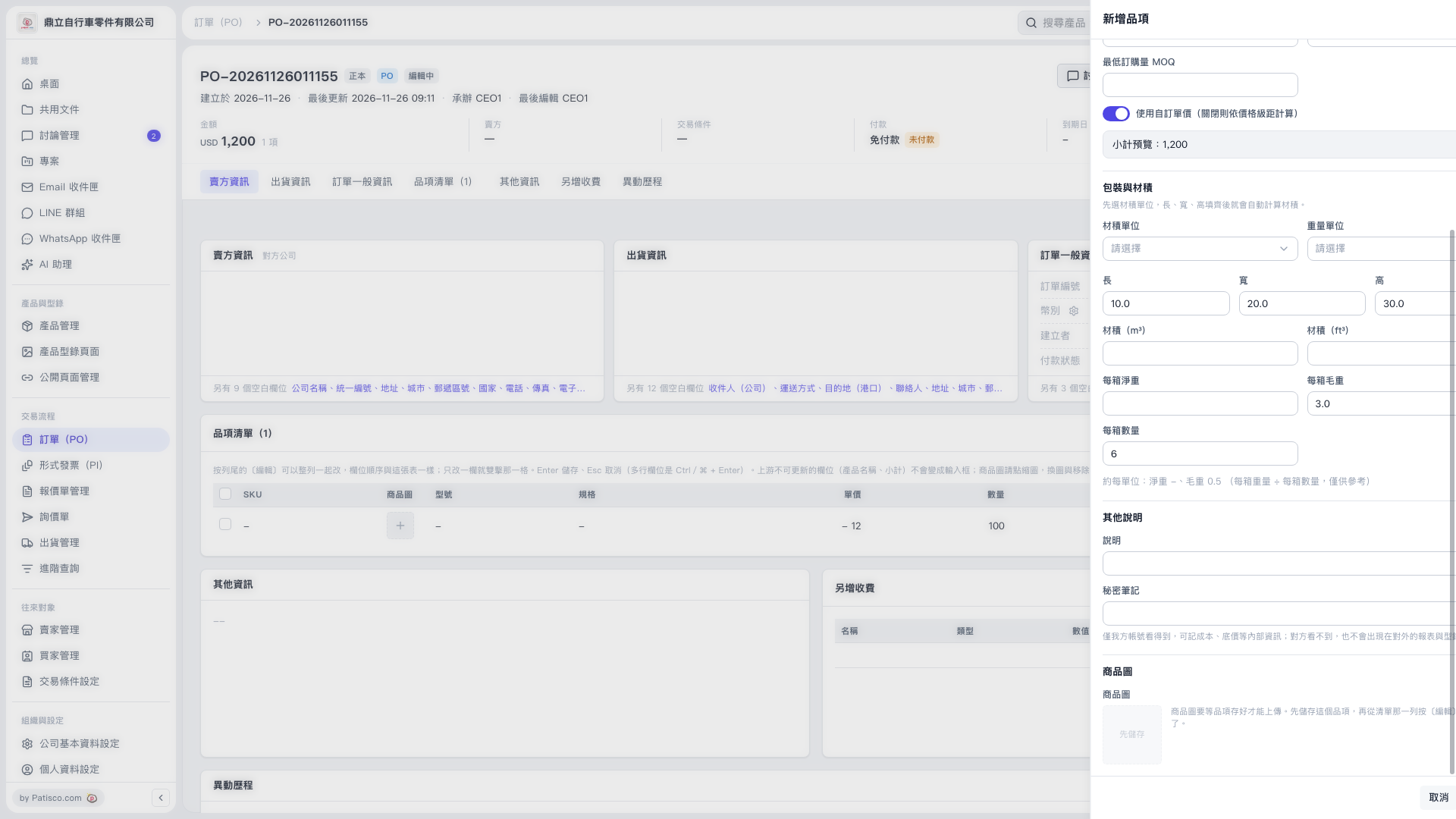
1. In the “Create Item” panel, turn on “Use Custom Unit Price (when off, calculate based on pricing tiers)” to use a custom unit price. When it is off, the price is calculated based on pricing tiers. You can also check the “Subtotal Preview”. 2. Under “Packaging and Volume”, select the “Volume Unit” and “Weight Unit”, then enter the “Length”, “Width”, and “Height”. The system automatically calculates the volume. 3. Enter the “Net Weight per Carton”, “Gross Weight per Carton”, and “Quantity per Carton”. Add a “Description” and “Private Notes” as needed.
 V5 新桌面版|訂單 PO-20261126011155/新增品項