
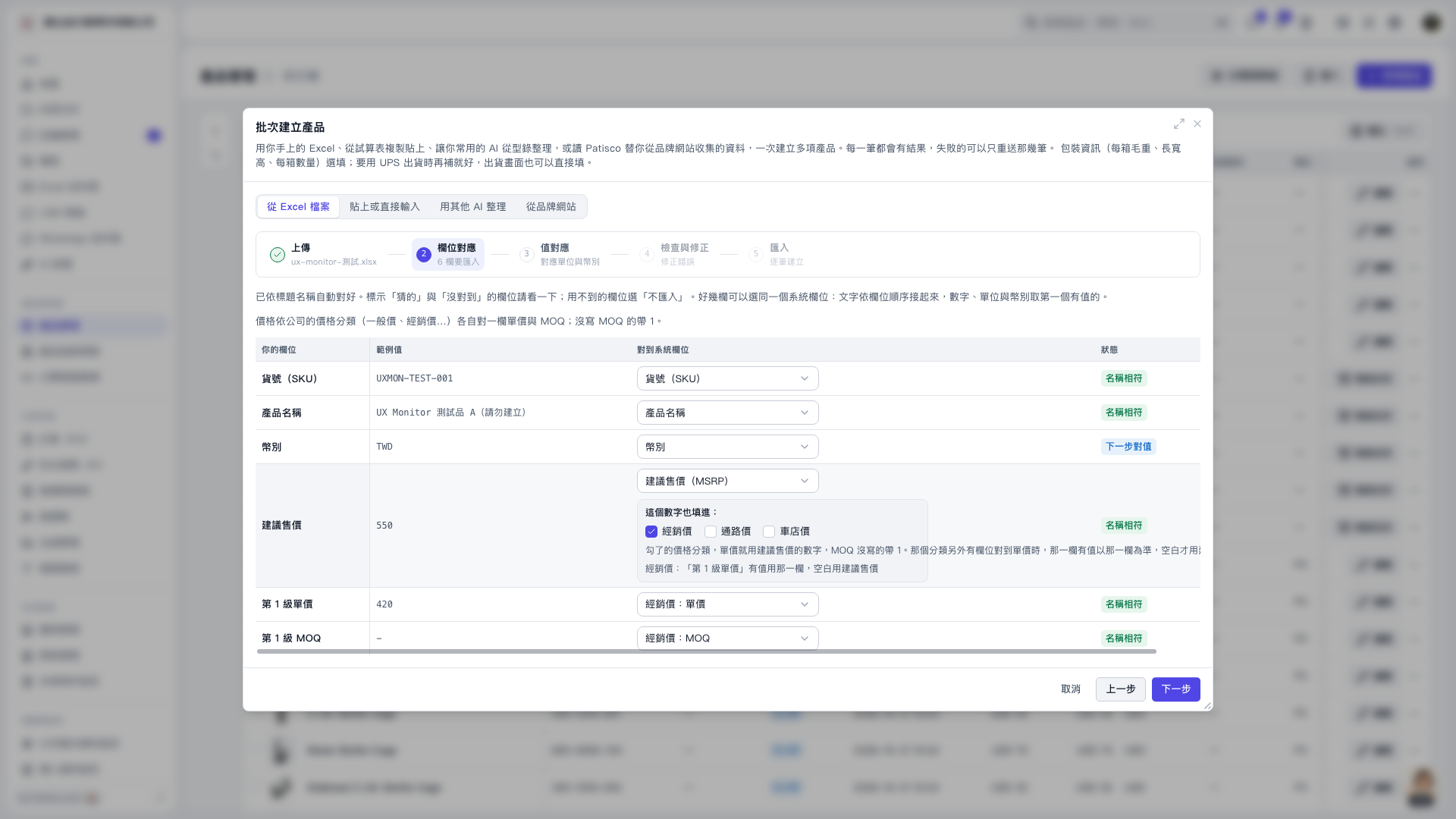
1. Map the source MSRP column to "Suggested Retail Price (MSRP)". 2. In the "Also Fill This Value Into" section of that row, select the price categories that should share the MSRP, such as "Dealer Price", "Channel Price", or "Specialty Store Price". 3. Check the unit price and MOQ mappings for each price category. If "Tier 1 Unit Price" is mapped to "Dealer Price: Unit Price", its value will be used when present; if it is blank, the MSRP will be used. If MOQ is not provided, the system will use 1. 4. After confirming, click "Next" to continue setting up value mappings.
 V5 新桌面版|批次建立產品