
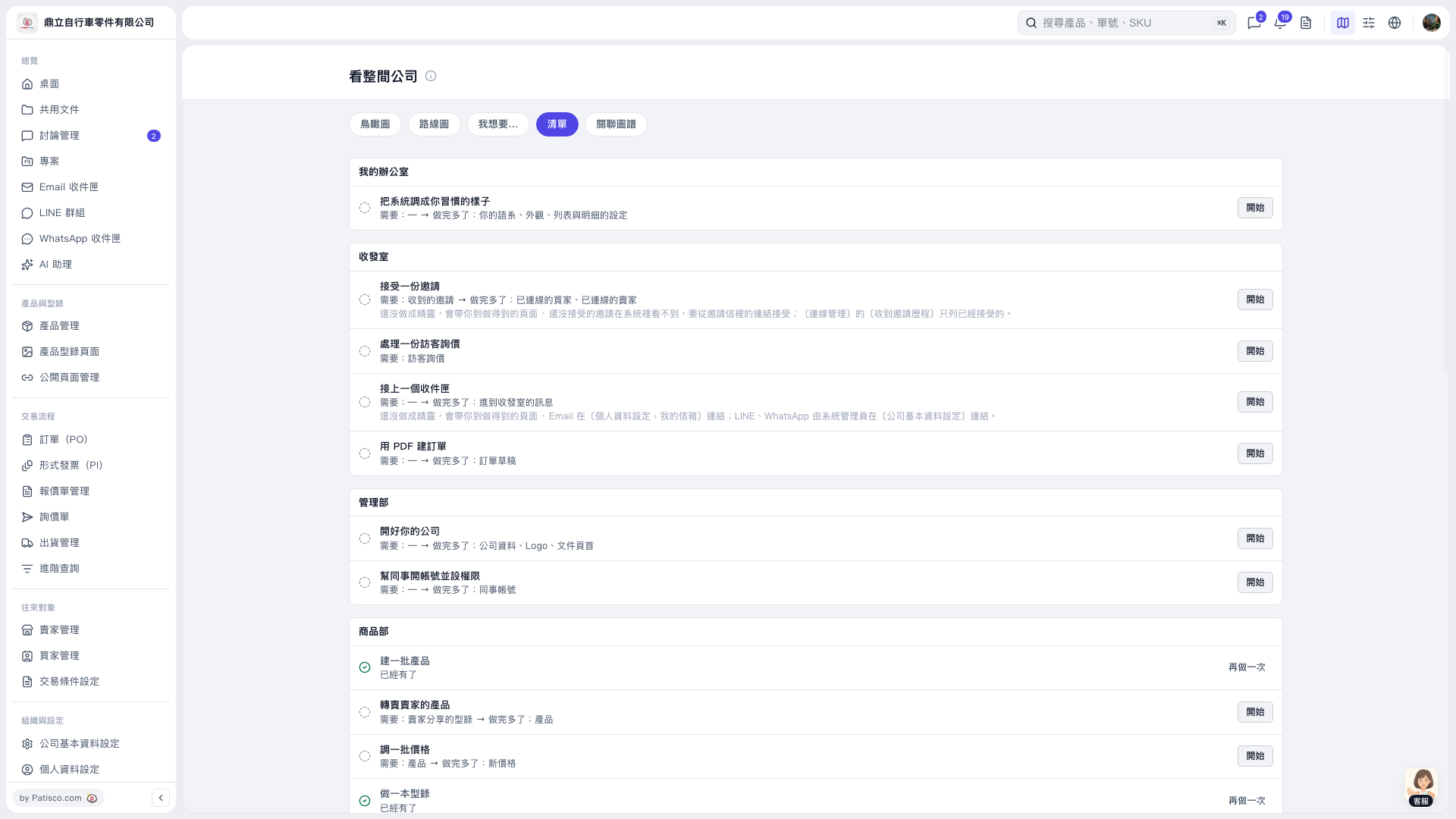
1. From the left sidebar, open [Company Overview]. 2. Click the [List] tab below the page title. The other tabs ([Bird's-eye view], [Roadmap], [I want to…], [Relationship graph]) let you switch between different views. 3. Find the task you want to complete by department (My office, Mailroom, Administration, Products). 4. Look at "Requires" and "After you finish, you get" under the task to check whether the prerequisites are already in place and what you will gain once it is done. 5. Click [Start] on the right side of that row. The system takes you to the relevant page or wizard. 6. When you finish, go back to the list. The item shows a green check mark.
 V5 新桌面版|看整間公司