
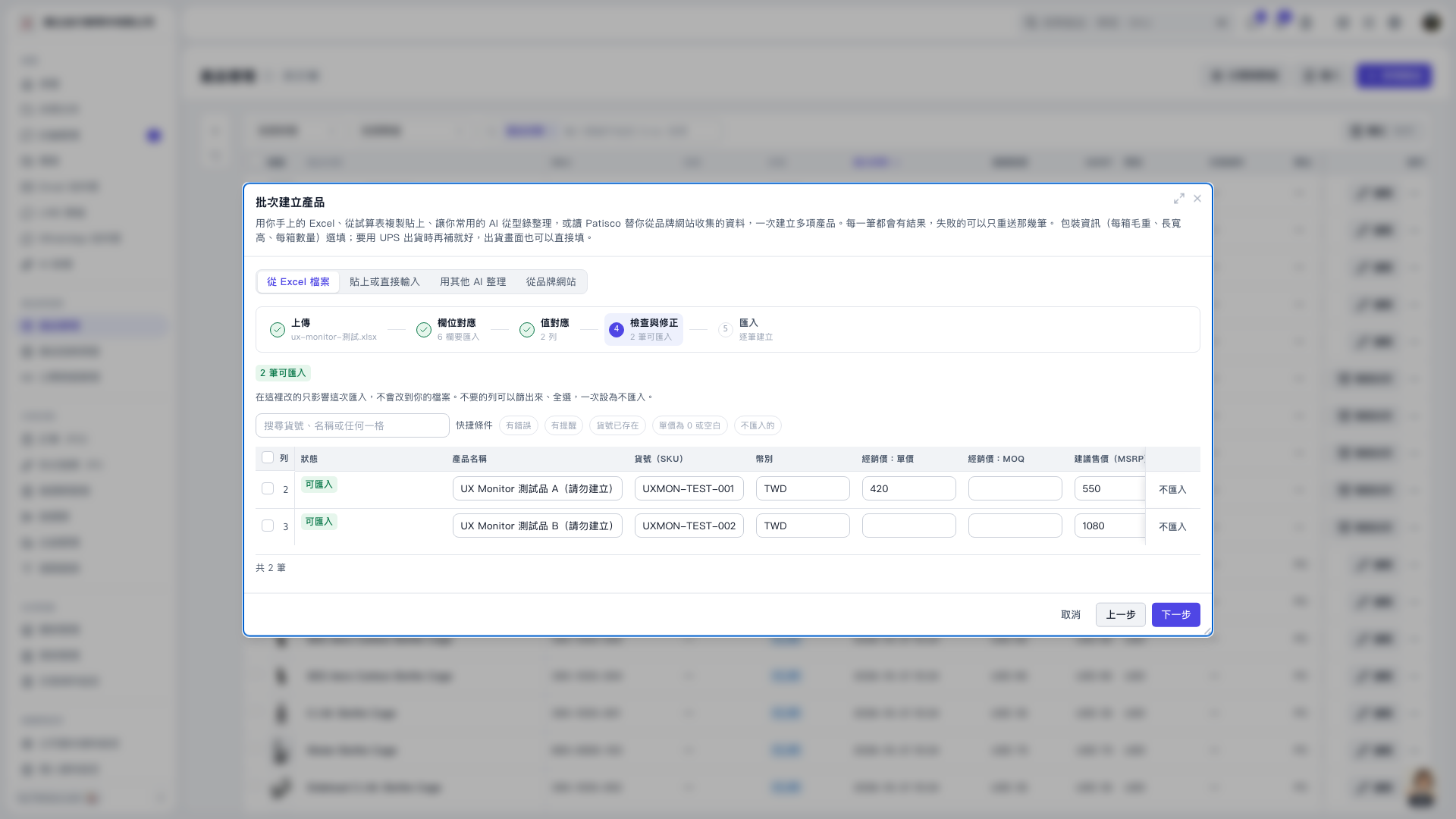
1. In the "Review and Correct" step of "Create Products in Bulk", check the "Dealer Price: MOQ" field. If it is left blank, the default value of 1 will be used when the products are created. 2. To set a different MOQ, edit the field directly in the table. Changes made here affect only this import and do not modify the original Excel file. 3. After confirming the product data, click "Next" in the bottom-right corner to proceed to the import step.
 V5 新桌面版|批次建立產品