
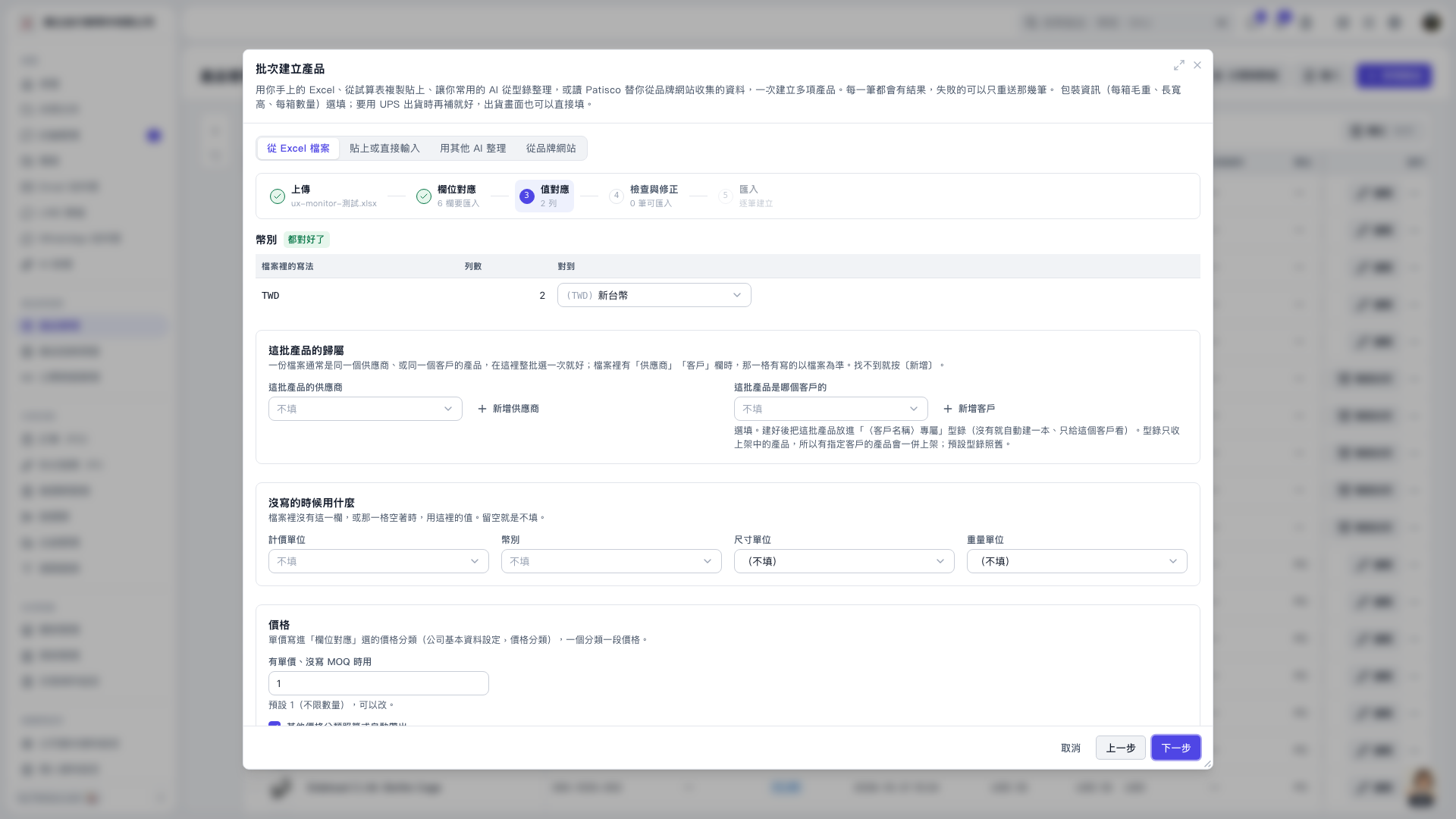
1. In the "Product Ownership for This Batch" section of "Create Products in Bulk", set "Supplier for This Batch of Products" and "Customer for This Batch of Products". 2. If you cannot find the option you need, click "Add Supplier" or "Add Customer". 3. If the file already contains corresponding columns, the system will use the values in the file. 4. After completing the settings, click "Next" to proceed to "Review and Correct".
 V5 新桌面版|批次建立產品