
1. Go to [Personal Profile Settings] and open "Passkey (Touch ID / Face ID)". 2. Tap [Add Passkey] and follow your device's prompts to complete fingerprint or facial recognition and create the Passkey. 3. When the success message appears, confirm that the new Passkey is listed. A Passkey that has not yet been used to log in will show "Not yet used to log in". 4. Tap [Done] in the upper-right corner to finish setup. You can use Touch ID / Face ID the next time you log in.
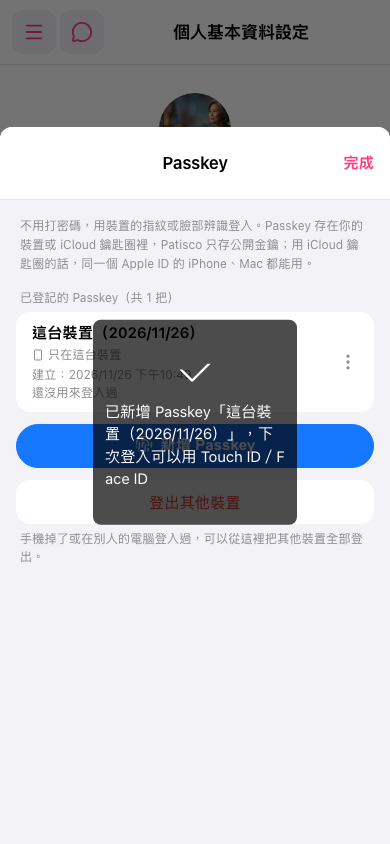 手機版|個人基本資料設定-Passkey