
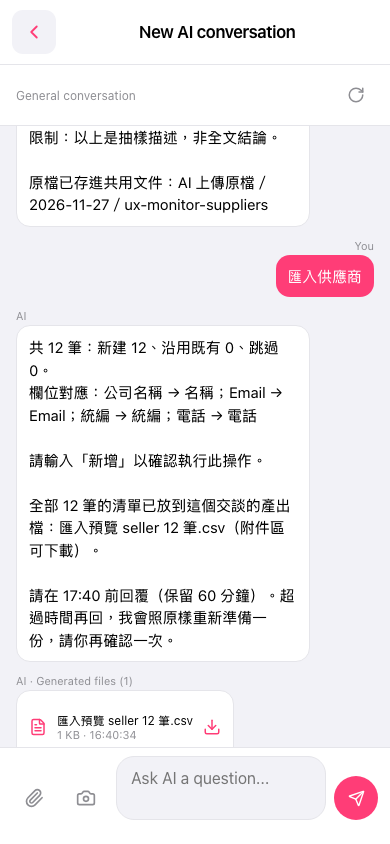
1. Review the import record count and the numbers of records to be created, reused from existing records, and skipped in the AI response. Check the field mappings: Company Name → Name, Email → Email, Tax ID → Tax ID, Phone → Phone. 2. In the “Generated files” attachment area, tap the download icon for the import preview CSV, then download and check the data. 3. After confirming that the data is correct, enter “Add” in “Ask AI a question...” and tap the send icon in the bottom-right corner to confirm the import. 4. Reply before the deadline indicated in the AI message. If the deadline passes, AI will prepare the data again and ask you to confirm once more. You can ask: “Import suppliers using the data in the attached CSV.” AI will respond: “Please enter ‘Add’ to confirm this operation.”
 手機版|New AI conversation