
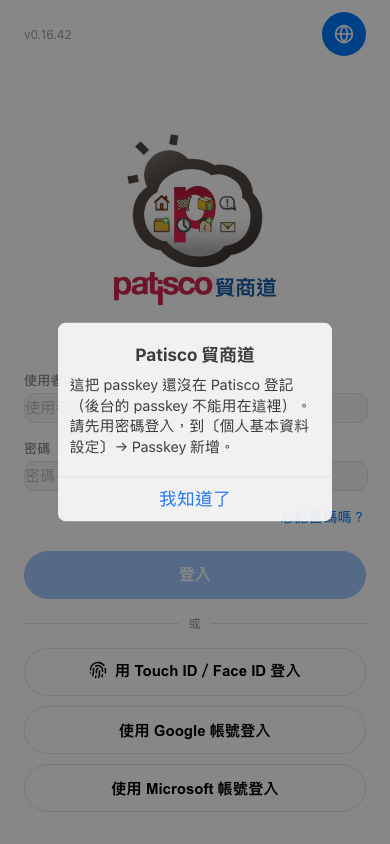
1. A passkey added in [Personal Profile Settings] on either desktop or mobile can be used on both. You do not need to register it separately for each. 2. On the mobile login page, tap [Log in with Touch ID / Face ID] and authenticate using your registered passkey. 3. If you see “The backend passkey cannot be used here”, check whether you are using a passkey registered in the patisco.com backend or a passkey that has been deleted. Neither can be used to log in. You can first log in with your account and password, then go to [Personal Profile Settings] → [Passkey] to add a passkey.
 手機版|Patisco 貿商道登入