
1. Open the quotation details page and scroll down to “Item List.” 2. To add an existing product, click [Add Item] at the top right of the item list. To create a new quotation item, click [New Item]. 3. To edit an existing item, click [Edit] on the right side of its row and change the specifications, unit price, or quantity. 4. Press Enter to save your changes, or Esc to cancel. 5. Adding, editing, and deleting items are saved immediately. You do not need to click [Edit] at the top of the page. 6. To choose which columns appear in the table, click [Columns] at the top right of the item list.
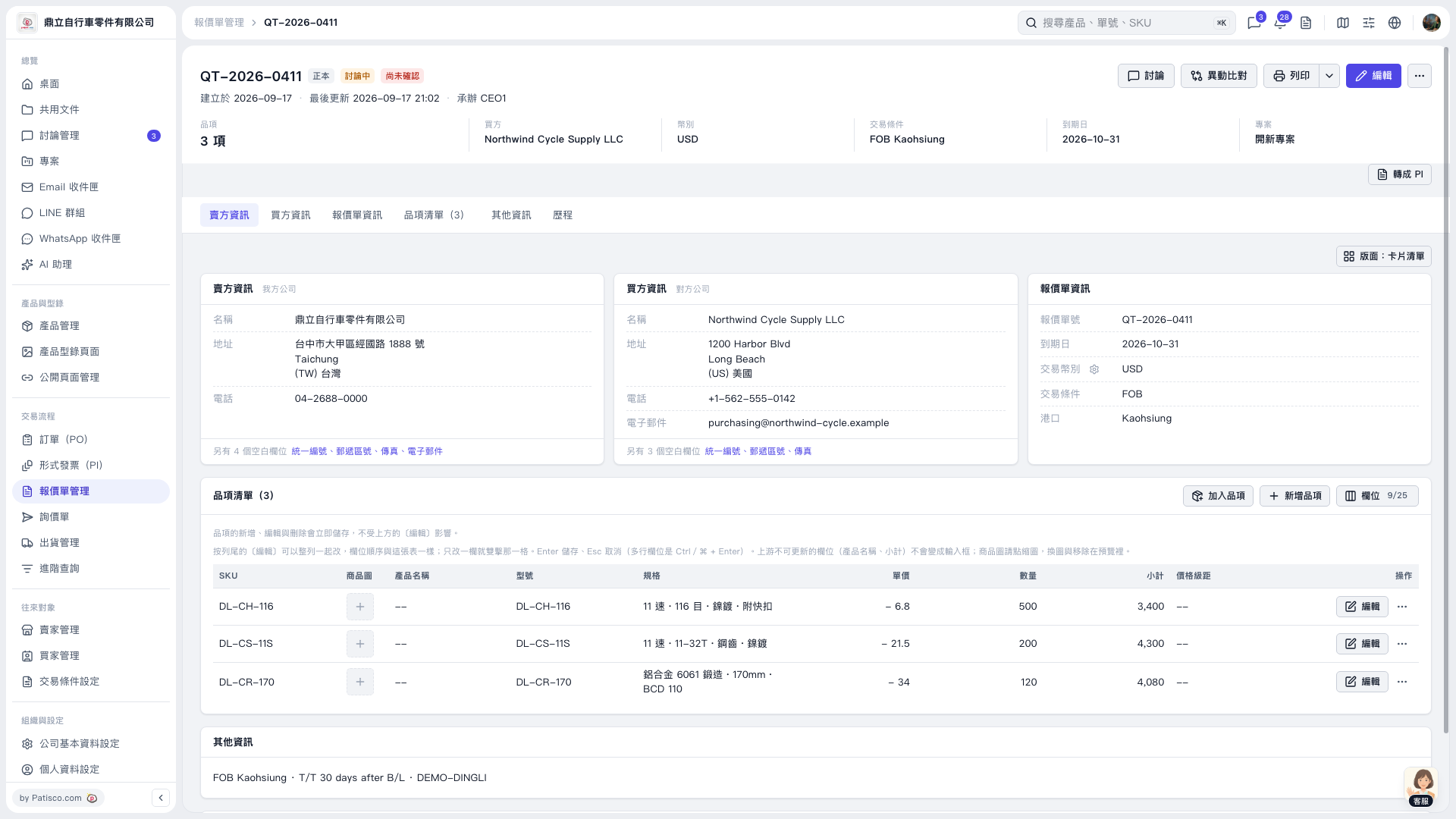 V5 新桌面版|QT–2026–0411