
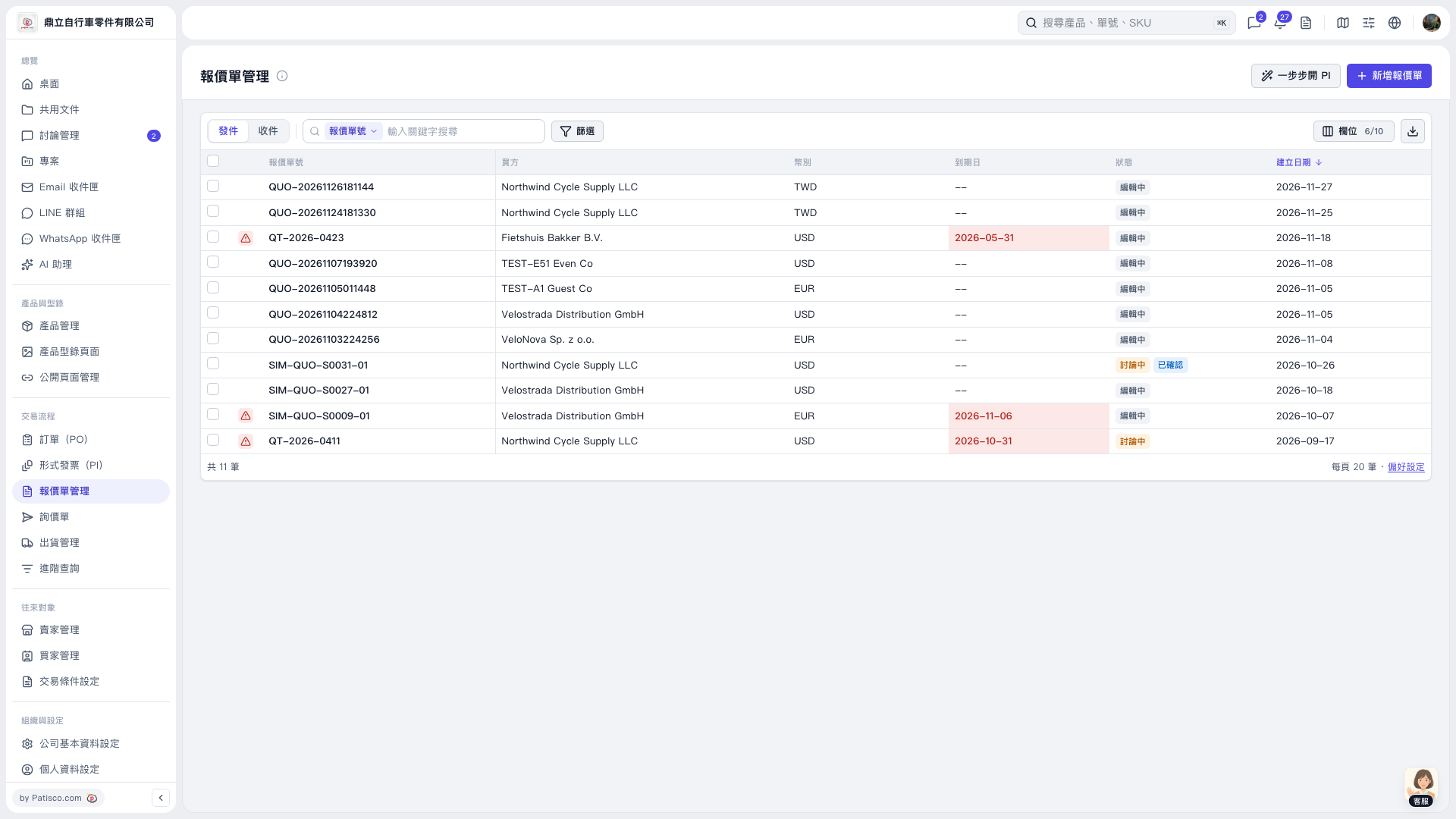
1. In the new V5 desktop version, open the “Quotation” page. Its URL path is /quo. 2. The “Sent” and “Received” tabs are at the top left of the list. “Sent” is selected by default and shows quotations you have sent. Switch to “Received” to view quotations you have received. 3. The list displays quotation number, buyer, currency, expiration date, status, and creation date. By default, it is sorted by “Creation Date ↓” from newest to oldest. 4. Quotations that are about to expire have a red expiration alert, so keep an eye on these.
 V5 新桌面版|報價單管理