
1. In the search box above the list, first select the field to search. The default is “Quotation Number”. 2. Enter a keyword in the “Enter a keyword to search” field. 3. If there are still too many results, click “Filter” to the right of the search box and set conditions to narrow the results. 4. To change which columns appear in the list, click “Columns” at the top right of the list. It shows how many columns are currently displayed, such as 6/10. To export the list, click the download icon next to it. 5. To create a new quotation, click “New Quotation” in the upper right. To issue a Proforma Invoice (PI), click “Create a PI Step by Step” and follow the guided process.
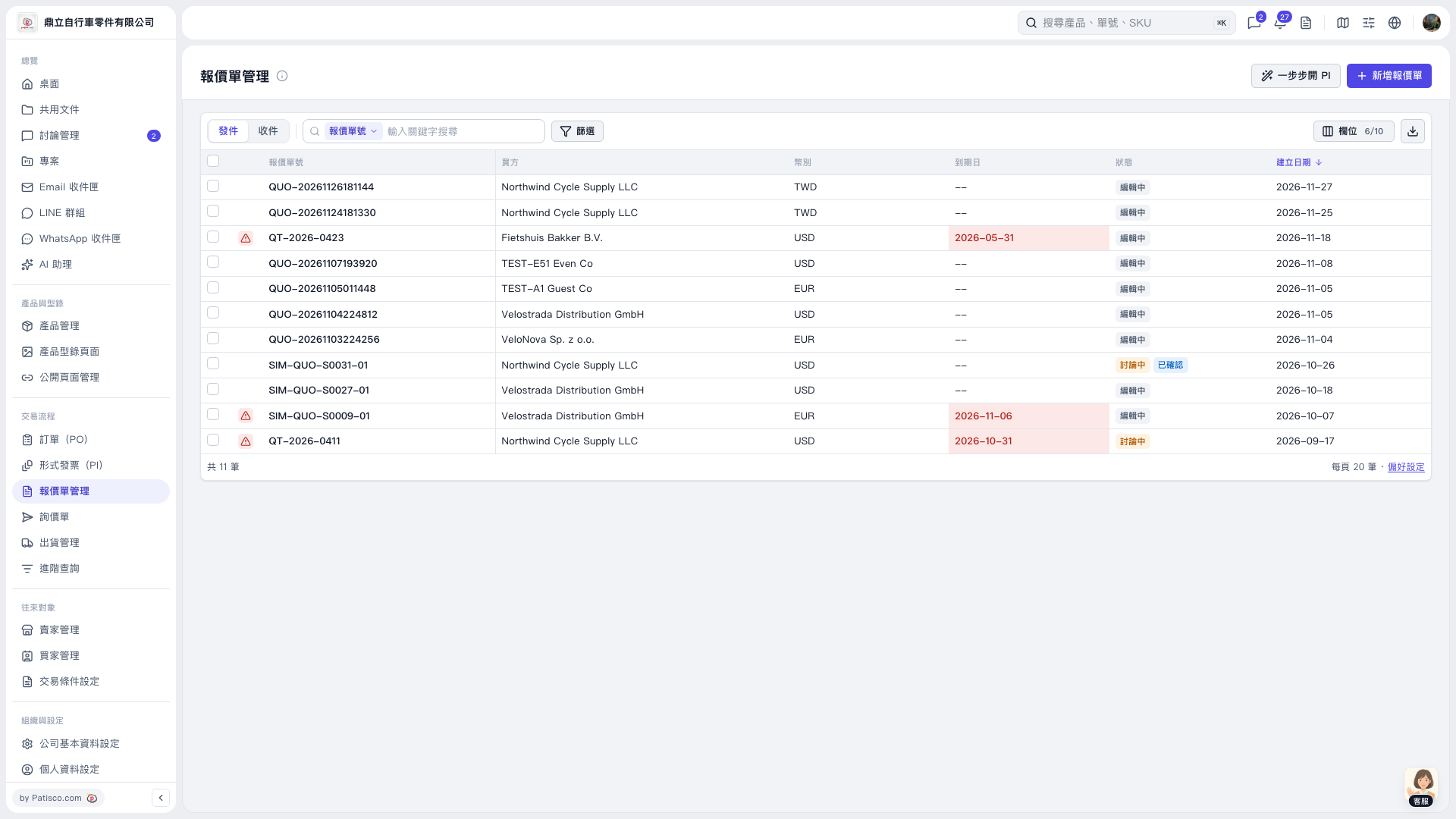 V5 新桌面版|報價單管理