
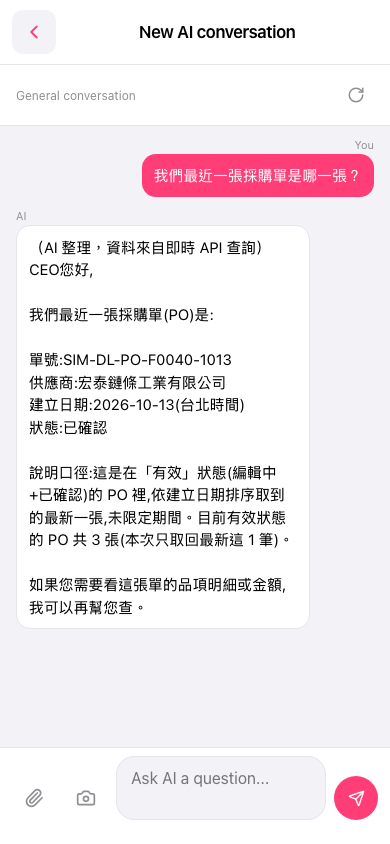
1. To attach a file: tap the paperclip icon in the input bar at the bottom left and choose the file to upload. 2. To take a photo: tap the camera icon to the right of the paperclip, and the photo is attached to your question. 3. After typing your question, tap the paper plane icon at the bottom right to send it. 4. To look at line item details or amounts next, just follow up in the same conversation, for example by asking the AI to look up the line item details or the amount of that PO. 5. To start a new topic, tap the refresh icon to the right of the "General conversation" label. 6. To leave the conversation, tap the "<" back arrow at the top left.
Note: When replying, the AI explains that it retrieved only the latest 1 record this time, and that there are currently 3 POs in active statuses. To see more, you can ask again.
 手機版|New AI conversation