
1. First, go to the My Profile page. 2. Change your avatar: tap the "pencil icon" at the bottom right of the avatar, then choose a new image. 3. Change your name, Phone Number (currently empty), or Job Title: in the BASIC INFO section, tap the field row, enter the new content, and save. 4. Change your password: tap Password in the ACCOUNT section and follow the on-screen instructions to enter and confirm the new password. 5. Adjust Timezone, Language, or Number Format: tap the row and choose from the list. 6. Switch dark mode: tap the Dark Mode switch at the bottom of the PREFERENCES section. 7. If you have any problems, tap the pink support icon at the bottom right to contact support.
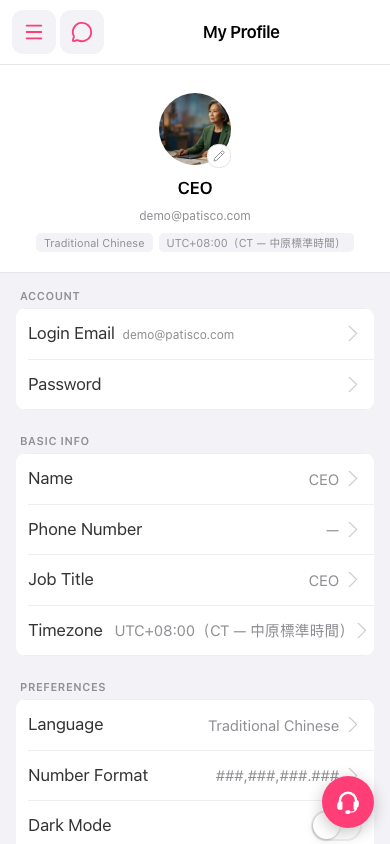 手機版|My Profile