
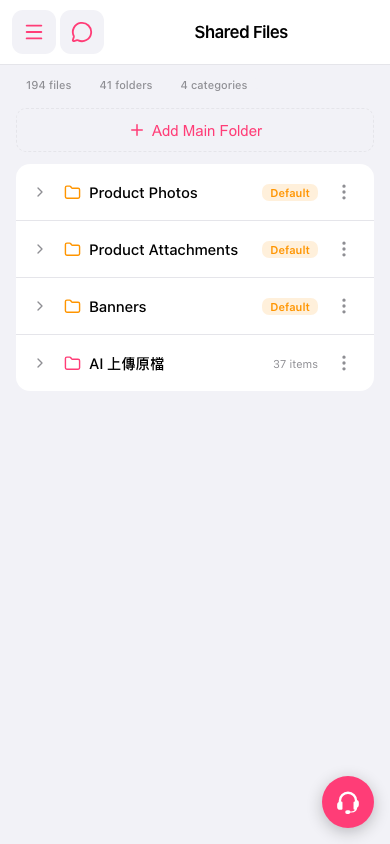
1. Open Patisco on your phone and go to the "Shared Files" page (URL: /main/publicFile). 2. At the top of the page you can see the counts of files, folders, and categories. 3. Below is the main folder list. Each row shows the folder name, a Default tag (if any), and the number of items. 4. Tap the expand arrow (>) at the far left of a folder row to see the subfolders and files inside. 5. To switch features, tap the menu icon (three horizontal lines) at the top left to open the sidebar navigation. The chat icon next to it opens chat or messaging.
 手機版|Shared Files