
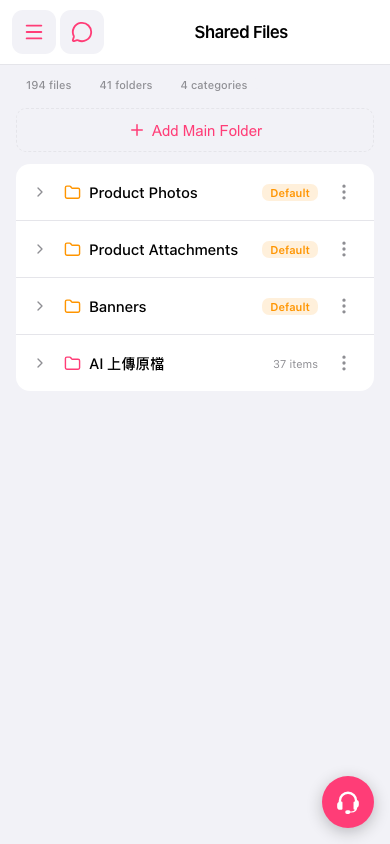
Add a main folder: 1. Go to the "Shared Files" page. 2. Tap the dashed "Add Main Folder" button at the top center. 3. Enter a folder name and confirm. The new folder appears in the list.
Manage existing folders: 1. On the row of the folder you want to work with, tap "⋮" (more options) on the right. 2. Choose the action you need from the menu, such as rename or delete.
If you run into problems, tap the round support icon at the bottom right to get help.
Note: The automated test for this step confirmed that the "Add Main Folder" button is present, and no issues were found.
 手機版|Shared Files