
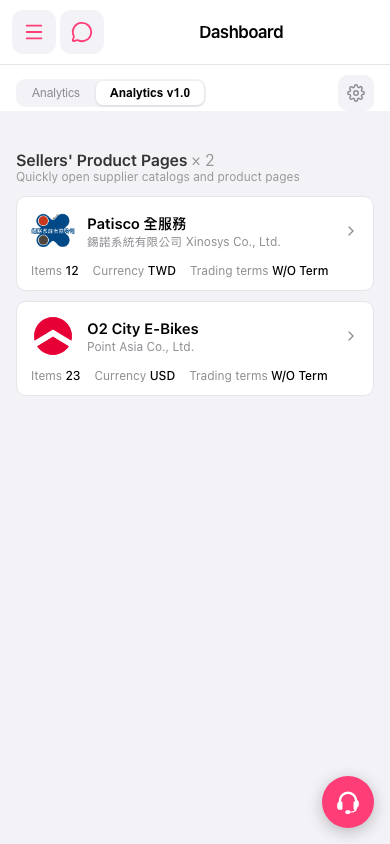
1. Open the mobile Dashboard page and find the "Sellers' Product Pages" section. 2. In the list in the center, choose the seller card you want to view, such as "Patisco 全服務" or "O2 City E-Bikes". 3. First check the Items (number of products), Currency, and Trading terms shown on the card. 4. Tap the seller card (or the arrow on its right) to open that supplier's product catalog and product pages.
 手機版|Dashboard