
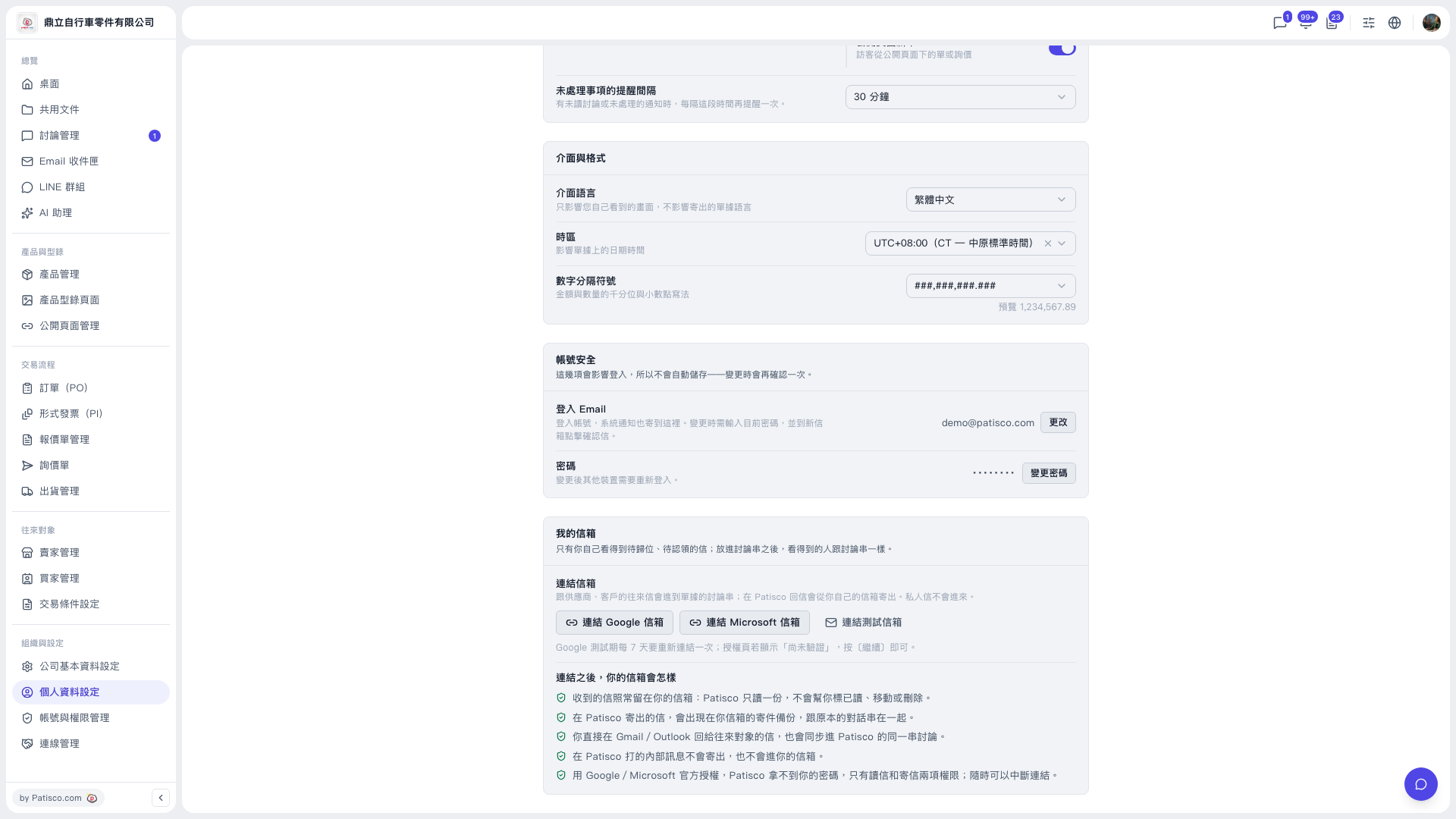
1. From "Organization & Settings" in the left sidebar, click "Profile Settings". 2. Scroll down to the "My mailbox" section at the bottom of the page. 3. Click "Link Google mailbox" (Gmail) or "Link Microsoft mailbox" (Outlook). 4. Sign in and grant permission on the Google or Microsoft authorization screen. If Google shows "Not verified" during the testing period, just click [Continue]. 5. After authorization is complete, return to this page and confirm that the mailbox is linked.
Once linked, correspondence is synced into discussion threads, and replies sent from Patisco go out from your own mailbox.
Note: The "My mailbox" section also has "Link test mailbox", which is for testing only and does not need to be clicked for normal use.
 V5 新桌面版|個人資料設定