
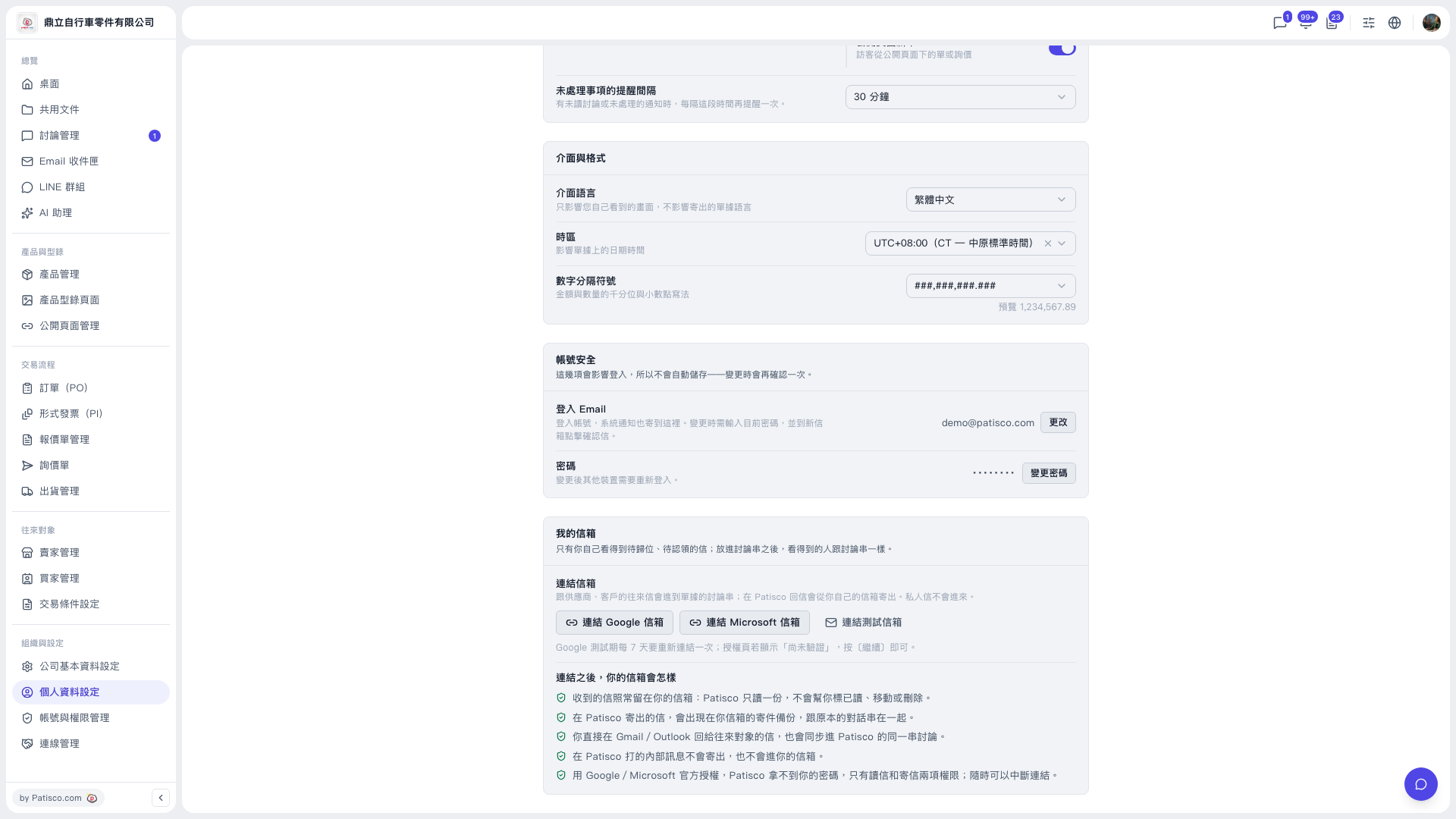
The "Profile Settings" page (left sidebar "Organization & Settings" → "Profile Settings") has the following main sections: 1. Notification settings (top of the page): the "Reminder interval for unhandled items" dropdown on the right lets you set how often reminders repeat for unread discussions or unhandled notifications. 2. Interface & format: three dropdowns on the right. - "Interface language": choose the language you see in the interface. It does not affect the language of documents you send. - "Time zone": affects the dates and times on documents. - "Number separator": choose the thousands separator and decimal point style for amounts and quantities. 3. Account security: - Click "Change" next to "Login Email". You need to enter your current password, and the change takes effect only after you click the confirmation email sent to the new mailbox. - Click "Change password" next to "Password". After changing it, other devices will need to log in again. 4. My mailbox (bottom of the page): link a Google or Microsoft mailbox.
 V5 新桌面版|個人資料設定