
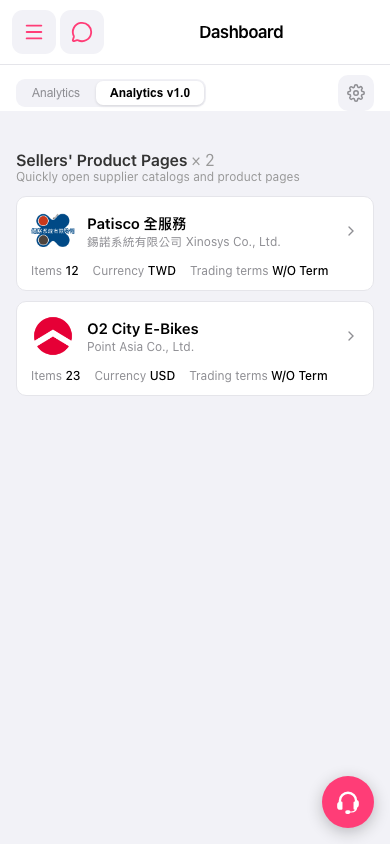
1. In the seller card list on the Dashboard, tap the seller card you want to view (or the arrow on the right side of the card) to open that supplier's product catalog / product page. 2. To go to other function pages, tap the menu icon (three lines) at the top left to expand the sidebar, then select the item you want. 3. To adjust the Dashboard display, tap the gear icon on the right side of the tab bar. 4. If you need help, tap the customer service icon (headset) at the bottom right to contact support.
 手機版|Dashboard