
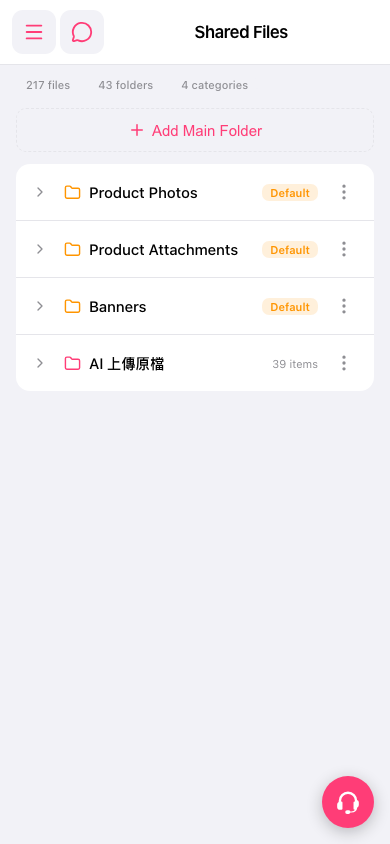
1. Go to the "Shared Files" page. 2. Tap the dashed-outline button "+ Add Main Folder" at the top center. 3. Enter a folder name and confirm. The new main folder is created. 4. To rename or delete it later, tap the "⋮" more-options icon at the far right of that folder's row and select the action you need. 5. If you run into problems, tap the pink round support button at the bottom right for help.
 手機版|Shared Files