
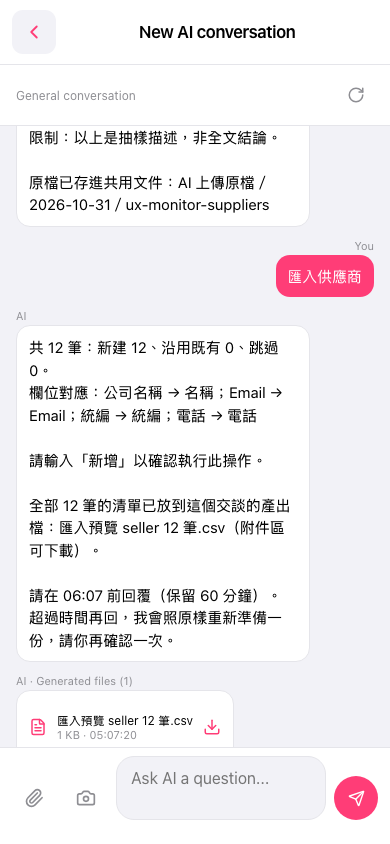
1. On mobile, go to the AI conversation page (page title: New AI conversation). On the input bar at the bottom left, tap "Attachment (paperclip)" to upload the supplier data file; you can also tap the "camera icon" on the right to take a photo and upload it. 2. In the input box at the bottom, "Ask AI a question...", type "Import suppliers", then tap "Send (paper plane icon)" at the bottom right. 3. Wait for the AI to reply with an import preview. Check the counts (new, reuse existing, skipped) and the field mapping: Company name → Name, Email → Email, Tax ID → Tax ID, Phone → Phone. 4. Once everything looks right, type "Add" and send it within the time limit the AI gives you. The import is only executed after that.
You can ask: "Import suppliers" (with a 12-row csv attached). The AI will reply: "Import suppliers: AI found 12 records in total: 12 new, 0 reused, 0 skipped. ... Please type 'Add' to confirm this operation."
 手機版|New AI conversation