
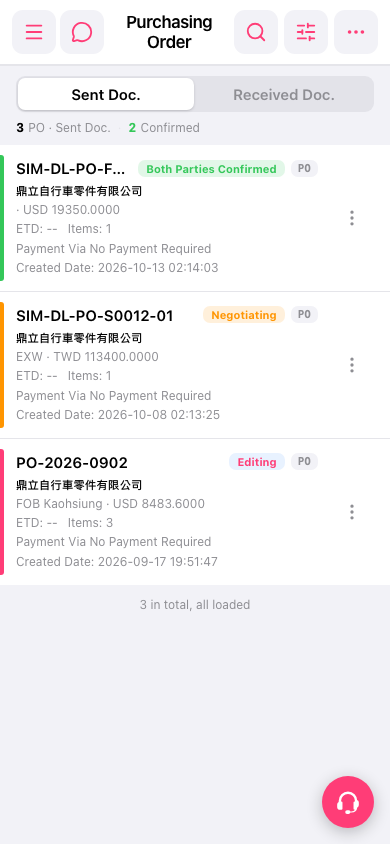
1. Log in to Patisco mobile using your mobile browser. 2. Tap the menu icon (three horizontal lines) at the top left to expand the side navigation menu. 3. In the menu, select PO to open the "Purchasing Order" page. 4. The page opens on the "Sent Doc." tab by default. The list shows each PO's number, status tag (Both Parties Confirmed / Negotiating / Editing), priority tag (e.g. P0), supplier name, trading terms and currency amount, ETD, Items (number of items), Payment Via (payment method), and Created Date. 5. To see the details, tap the PO card.
 手機版|Purchasing Order(採購單)