
1. At the top of the page, tap "Sent Doc." to see POs you've sent, or "Received Doc." to see POs you've received. The selected tab is the side you're viewing. 2. To find a specific PO, tap the search icon at the top right and enter a keyword. 3. To narrow the list by conditions, tap the filter icon (sliders) at the top right and set the filter conditions. 4. Once you find it, tap the card to open its details. 5. To perform other actions on a PO, tap the "⋮" at the right of that row to open the action menu. The "⋯" at the top right is the page-level menu with more options.
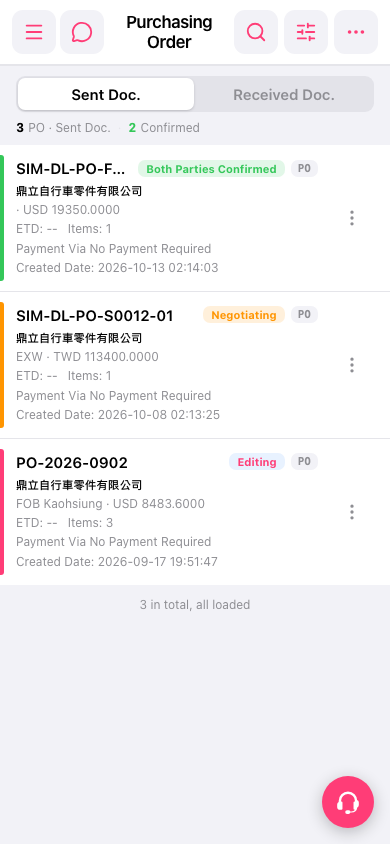 手機版|Purchasing Order(採購單)