
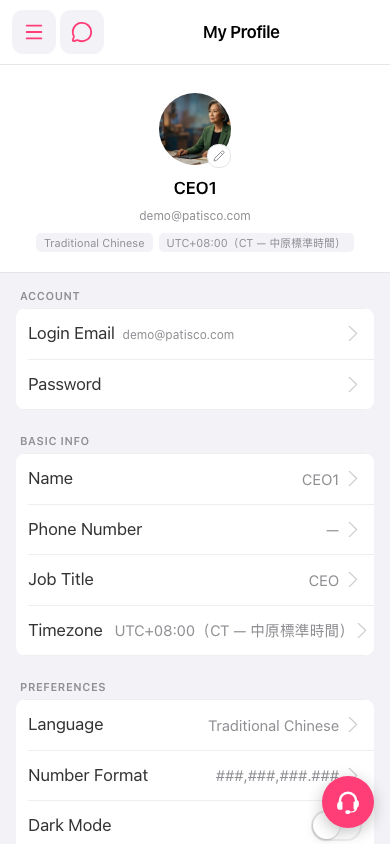
1. Tap the "hamburger menu" icon at the top left to expand the sidebar navigation menu. 2. In the menu, go to the profile page. The screen title shows "My Profile". 3. The page is divided into three sections: ACCOUNT (Login Email, Password), BASIC INFO (Name, Phone Number, Job Title, Timezone), and PREFERENCES (Language, Number Format, Dark Mode).
 手機版|My Profile