
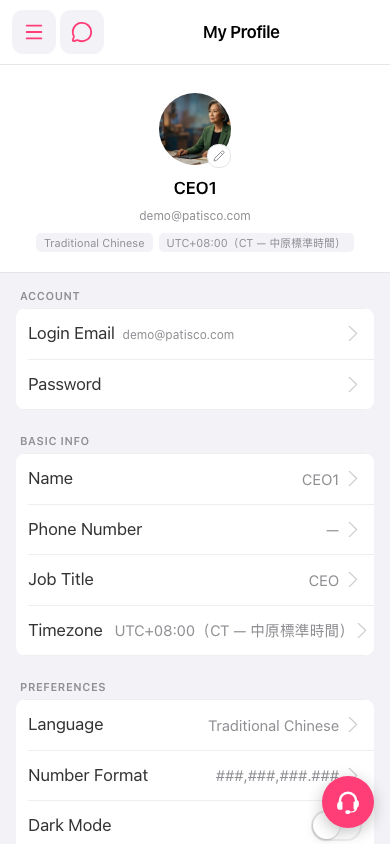
To change your phone number or other fields: 1. In My Profile, find the item you want to change in the ACCOUNT, BASIC INFO, or PREFERENCES section, for example "Phone Number" under BASIC INFO. 2. Tap that row to open the edit screen. 3. Enter or select the new value, then save. 4. Go back to My Profile and confirm that the row now shows the updated content.
To replace your avatar: tap the pencil icon at the bottom right of the avatar and upload a new image.
To switch dark mode: tap the "Dark Mode" switch directly in the PREFERENCES section. You do not need to open an edit screen.
 手機版|My Profile