
1. Open the mobile version and go to the "Shared Files" page (the URL is mobile.patisco.com/main/publicFile). 2. First check the number of files, folders, and categories shown at the top of the page. 3. To add a category, tap "Add Main Folder" in the dashed box at the top center, then enter a folder name. 4. After it is added, the folder appears in the list. Each row shows the folder name and the number of items (for example, 43 items), and some rows carry a "Default" tag.
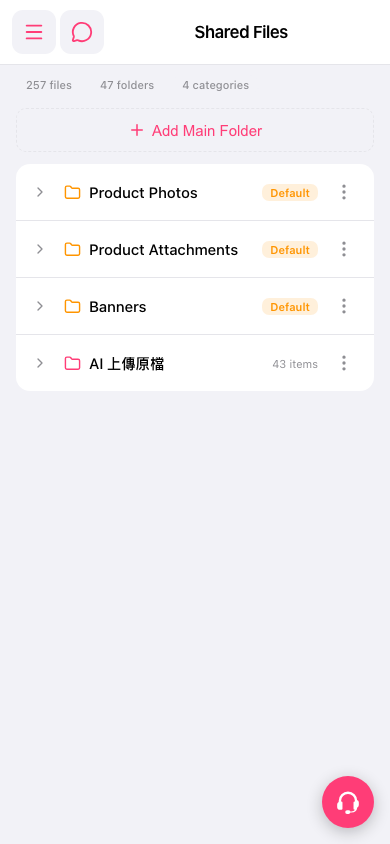 手機版|Shared Files