
1. On mobile, go to the discussion page (the URL is /main/topic). The page title shows "Discussions". 2. Make sure the "Discussion" tab below the title is selected. 3. Look at each discussion row in the list. Each row shows the topic title, a preview of the latest message (sender: content), and the time of the last activity. 4. A row with a pink background and a number badge is an unread topic. The number is the count of unread messages. 5. Tap the discussion row you want to open the conversation and read or reply to messages.
Tip: The message notification icon next to the menu in the upper left also shows the unread count with a red badge (currently 3 on the screen).
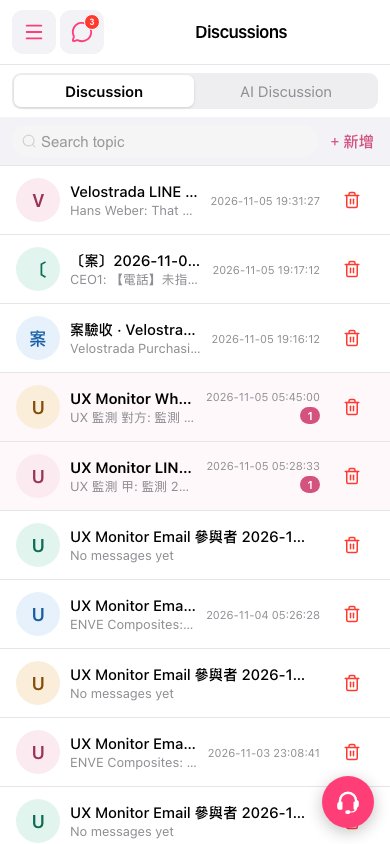 手機版|Discussions(討論)