
1. On the mobile screen, tap the hamburger menu icon at the top left to expand the sidebar navigation menu. 2. Select "Shared Files". The page title will show Shared Files. 3. Check the statistics at the top to see the number of files, folders, and categories. 4. Each folder in the list shows its name, a Default tag (if any), and its item count (for example, 45 items). 5. To see what is inside, tap the expand arrow ">" on the left of the folder to browse its subfolders and files.
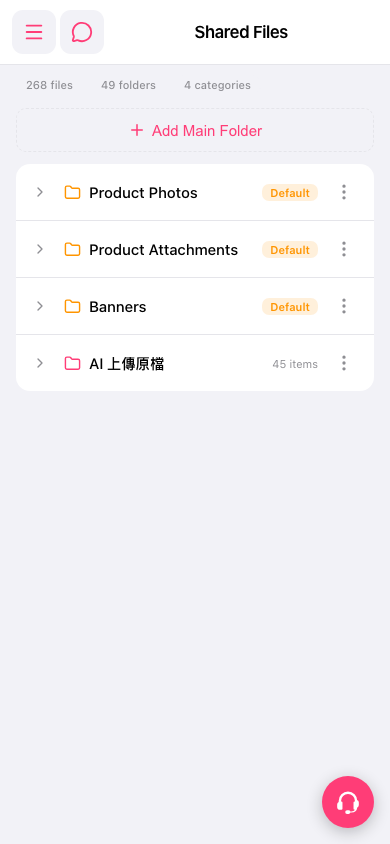 手機版|Shared Files