
1. Open the mobile version and go to the "My Profile" page (URL: /main/userbasic). 2. Find the section you want to edit: login email and password are under "ACCOUNT"; name, phone number, job title, and time zone are under "BASIC INFO". 3. Tap the row you want to change (for example, Phone Number). The ">" arrow on the right side of the row indicates that it can be edited. 4. In the edit screen that opens, enter or select the new content. 5. Confirm and save the change. 6. Return to the profile page and check that the field now shows the new value.
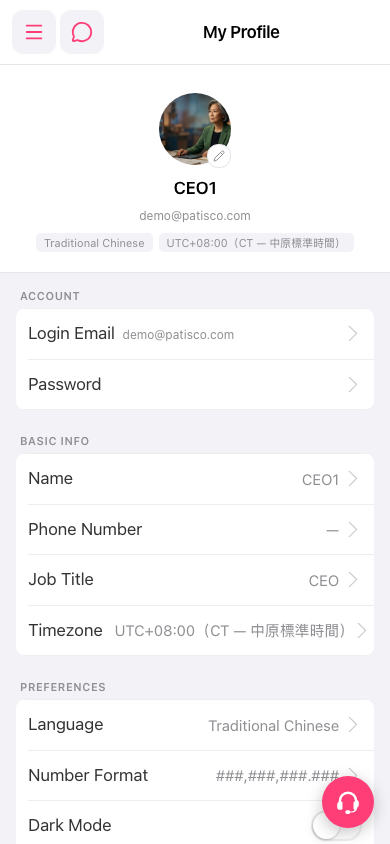 手機版|My Profile