
1. Go to the "My Profile" page. 2. To change your avatar: tap the pencil icon at the bottom right of the avatar, then choose a new one. 3. To switch to dark mode: scroll to the bottom of the "PREFERENCES" section and tap the "Dark Mode" switch. 4. To change the interface language or number format: in the "PREFERENCES" section, tap the "Language" or "Number Format" row, choose the setting you want, and save. 5. If you run into problems, tap the floating customer service icon at the bottom right to contact customer service.
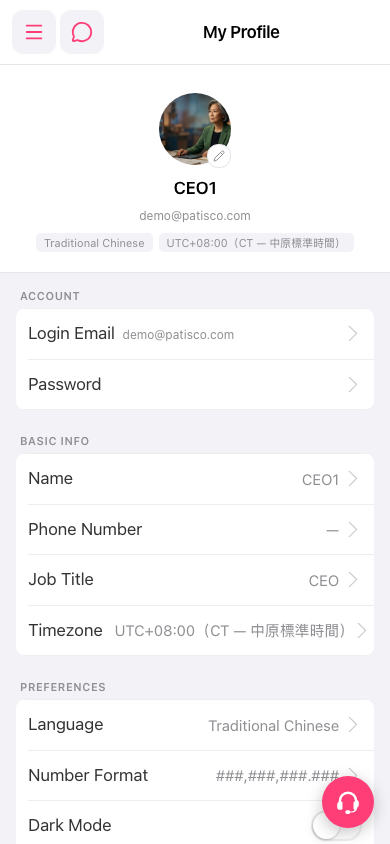 手機版|My Profile