
1. Select Desktop on the left and view Data Analysis. 2. In the Documents to Process section, find the items you need to process under Past Due or Needs Synchronization. 3. Click a document number to open the corresponding document for review and processing. 4. Click List or Timeline to switch views. Click Refresh when you need to update the data. 5. To view other POs, click All POs.
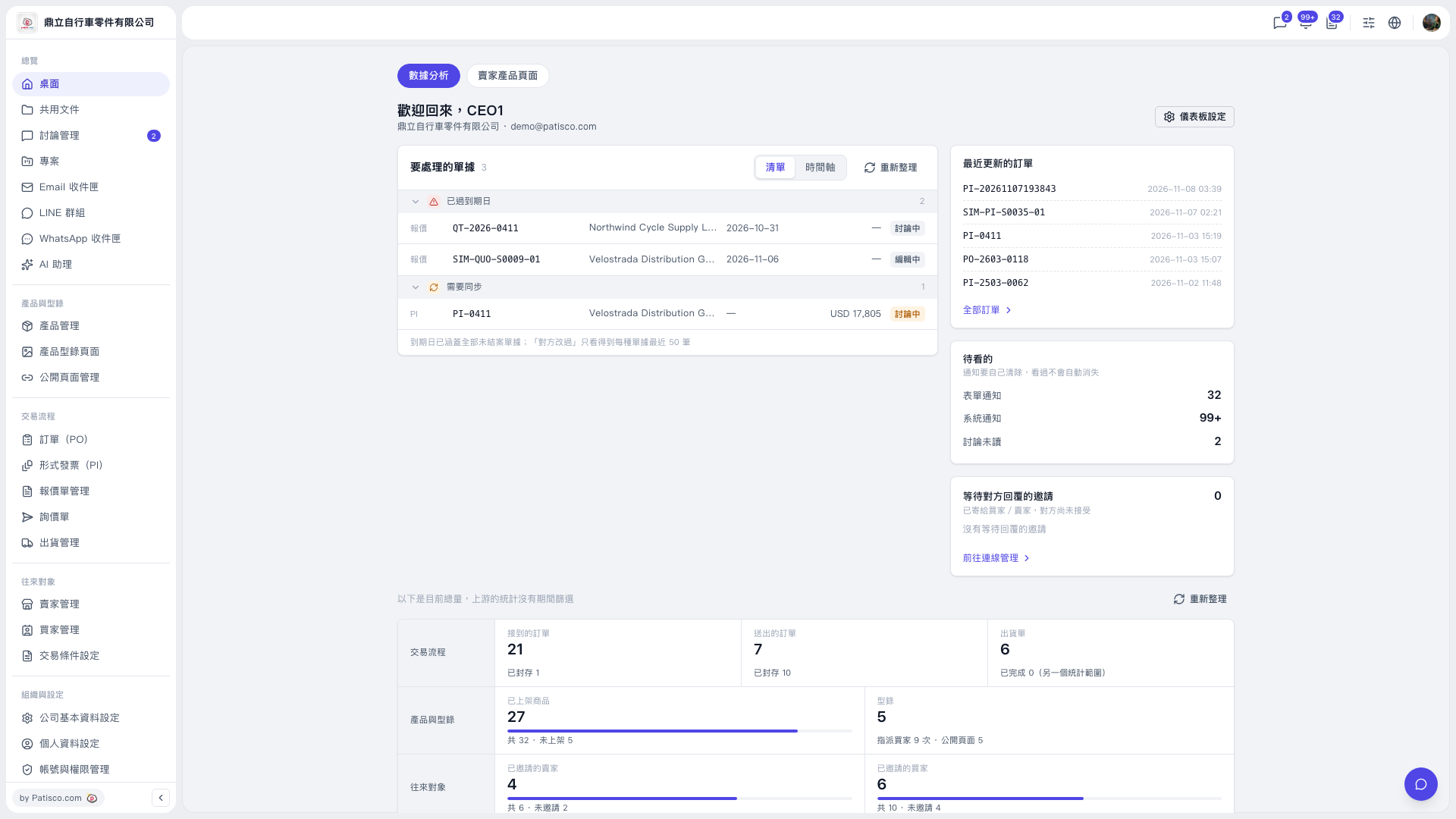 V5 新桌面版|桌面/數據分析