
1. Open the Proforma Invoice you want to edit, such as “SIM–PI–S0035–01.” 2. Under “Shipping Information,” check “Payment Method (Notes).” 3. Click “Edit” in the upper-right corner, find “Payment Method (Notes),” and edit it. You can enter up to 50 characters. If you enter 51 characters, “51/50” appears. Clicking “Save” displays “Maximum 50 characters,” and the changes cannot be saved. 4. Shorten the content to 50 characters or fewer. After completing your changes, click “Submit” in the upper-right corner.
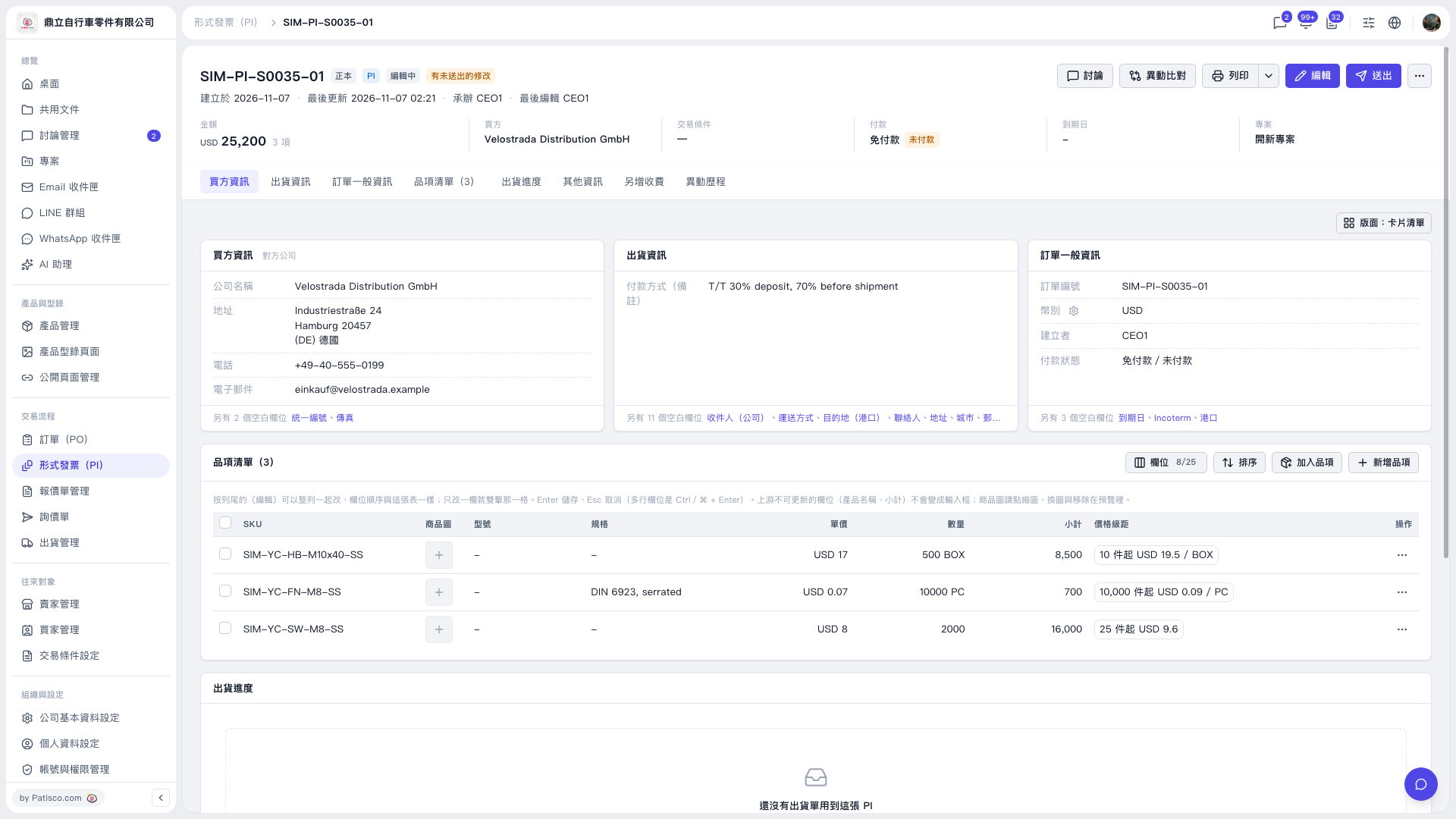 V5 新桌面版|SIM–PI–S0035–01