
1. Open the Proforma Invoice you want to edit and confirm its document number, such as SIM–PI–S0035–01. 2. At the bottom of the “Shipping Information” card in the center, click the “Shipping Method” link for the empty field. 3. Enter the shipping method using up to 20 characters, then click “Save.” 4. If you enter 21 characters, “21/20” appears. Clicking “Save” displays “Maximum 20 characters,” and the changes cannot be saved. Shorten the text to 20 characters or fewer. To discard your changes, click “Discard Changes.”
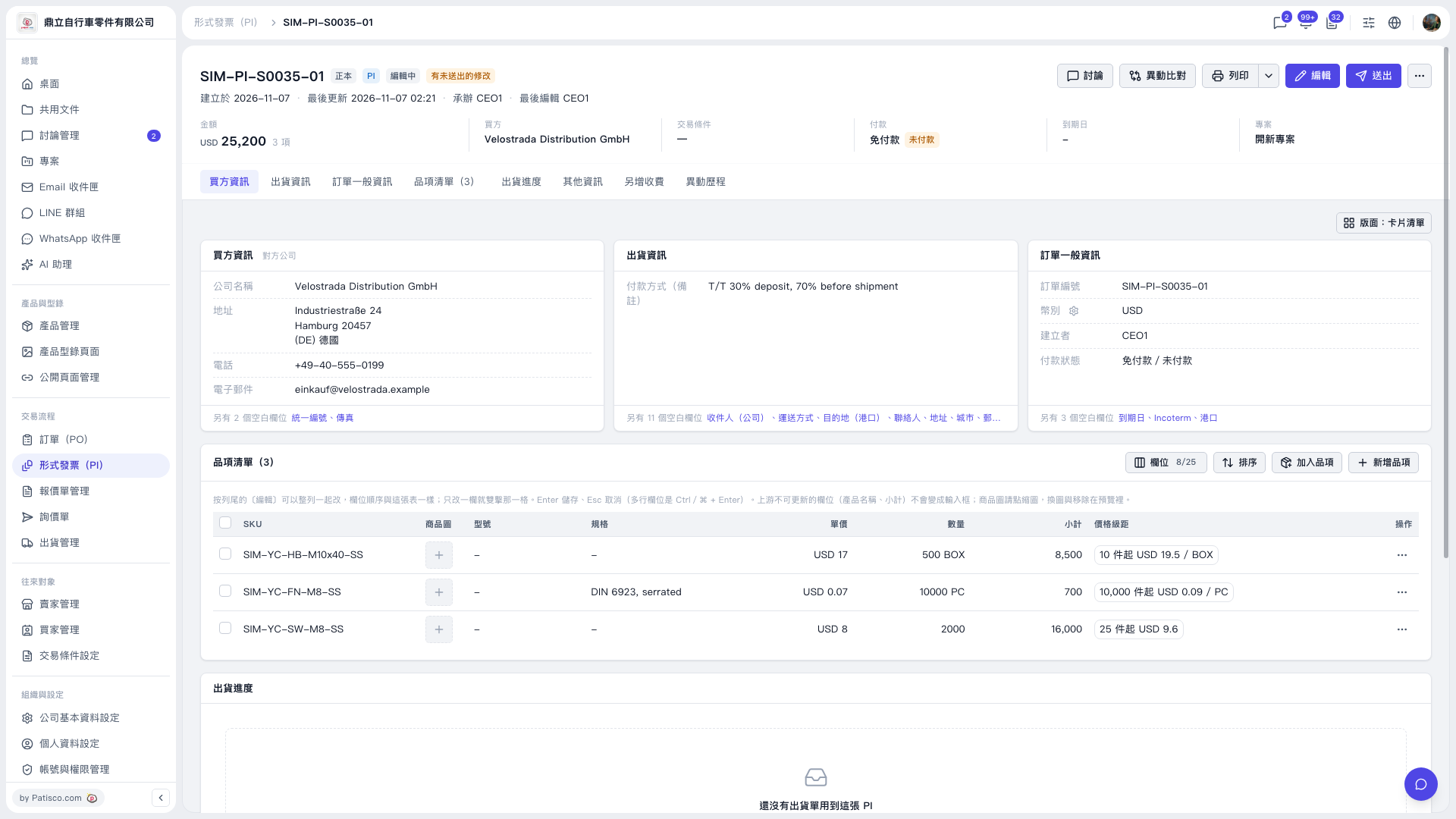 V5 新桌面版|形式發票 SIM–PI–S0035–01