
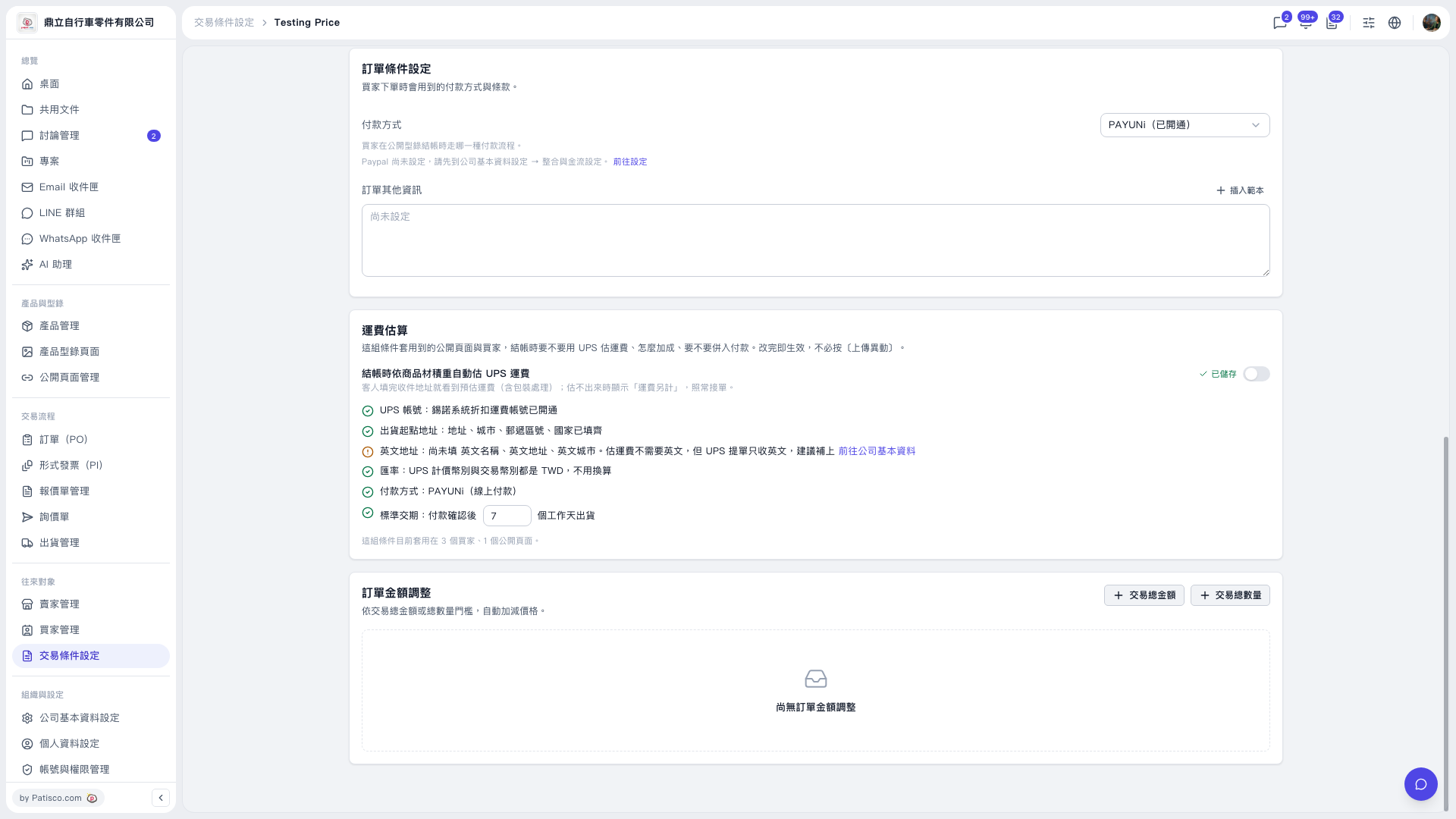
1. On the “Testing Price” trading conditions page, find the “Shipping Cost Estimate” section. Confirm that the UPS account is activated and the shipping origin information has been entered. 2. If you need to add the English name, English address, and English city, click “Go to Basic Company Information.” English information is not required for shipping cost estimates, but UPS waybills only accept English. 3. Confirm that “Standard Lead Time (Business Days from Payment Confirmation to Shipment)” meets your needs. It is currently set to 7 days. 4. Turn on the switch to the right of “Automatically Estimate UPS Shipping Costs at Checkout Based on Product Volumetric Weight” and check the save status. Changes take effect immediately. You do not need to click “Upload Changes.”
 V5 新桌面版|Testing Price