
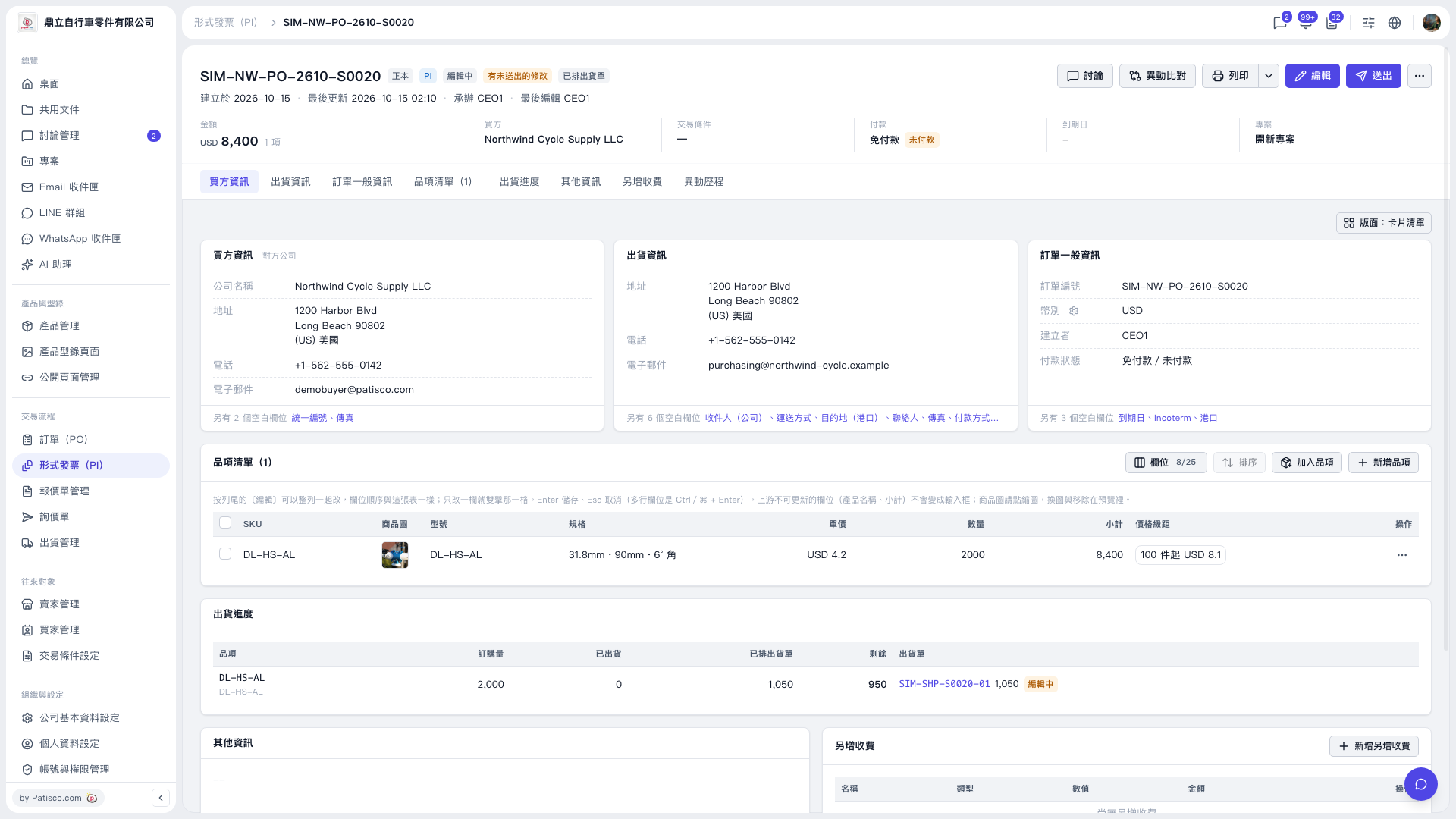
1. On the Proforma Invoice details page, click “Edit” in the upper-right corner to modify the content. 2. In “Item List (1)”, verify the specifications, unit prices, and quantities. To add an existing product, click “Add Item”; to create a new product, click “Create Item”. 3. If there are additional charges, click “Add Additional Charge”. 4. Click “diff view” in the upper-right corner to review the changes, then click “Submit” after confirming them.
 V5 新桌面版|SIM–NW–PO–2610–S0020