
1. Open the PO details and check the PO number, seller, total amount, and trading conditions. 2. Click “Edit” in the top right to edit the PO information. 3. To edit an item, go to “Item List (3)” and click “Edit” on the right side of its row. Press Enter to save or Esc to cancel. 4. Check the items, quantities, unit prices, and total amount, then click “Submit” in the top right.
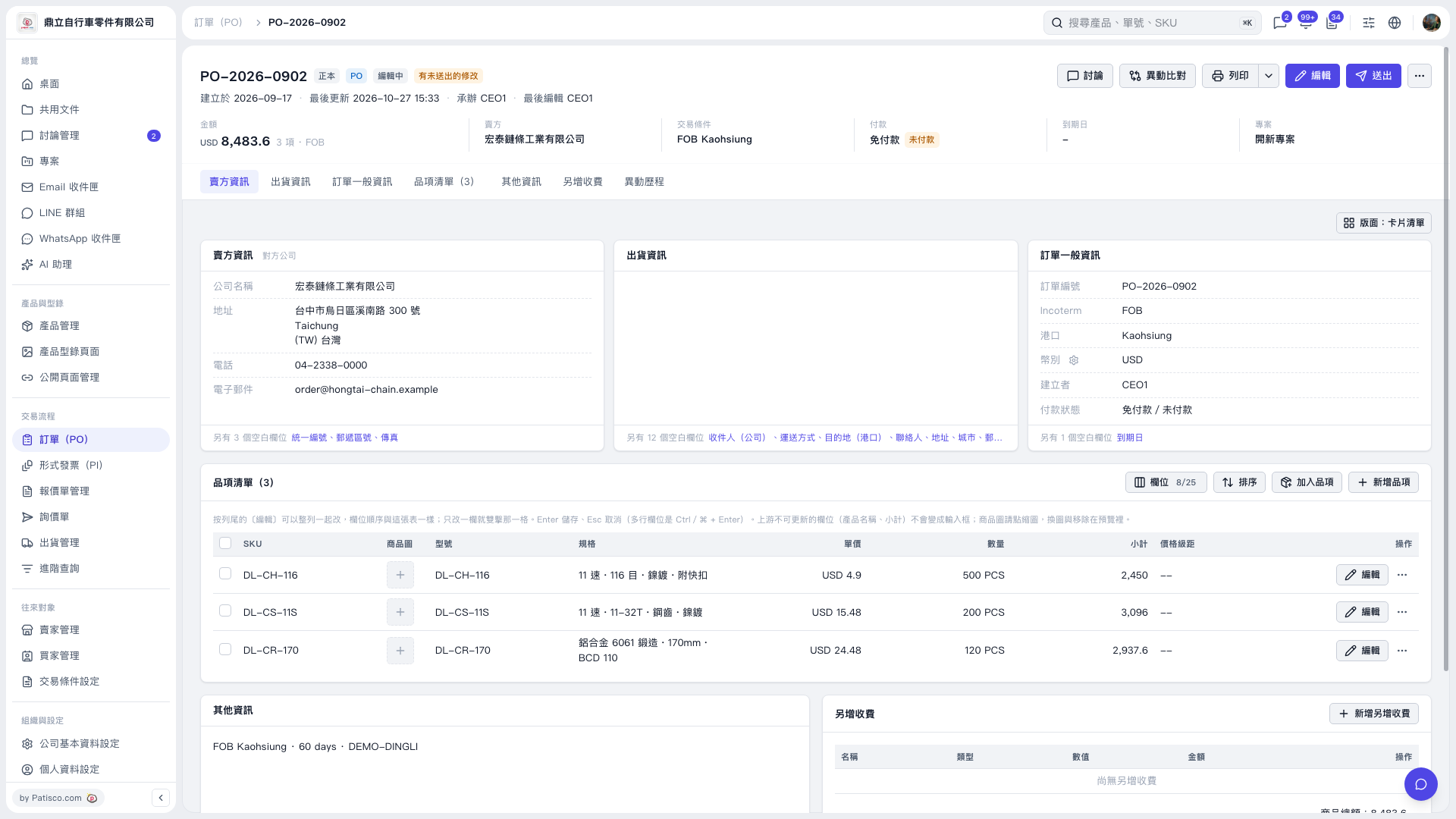 V5 新桌面版|PO–2026–0902