
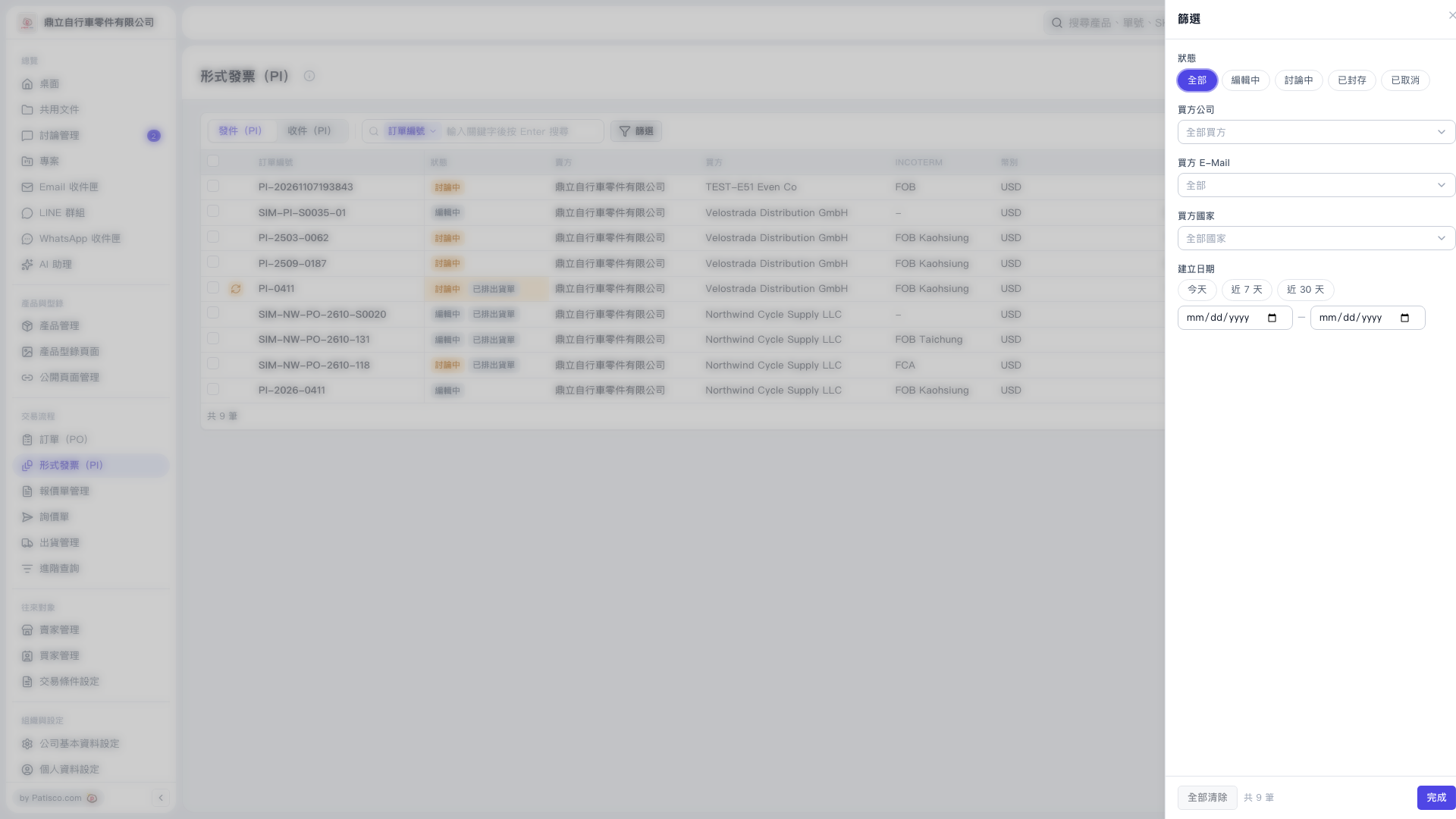
1. On the “Proforma Invoice (PI)” page, first select “Sent (PI)” or “Received (PI).” 2. Click “Filter” to the right of the search bar above the list to open the filter panel on the right. 3. Select “All,” “Editing,” “In Discussion,” “Archived,” or “Canceled,” and select “Buyer Company,” “Buyer E-Mail,” or “Buyer Country” from the drop-down menus as needed. 4. Under “Created Date,” select “Today,” “Last 7 Days,” or “Last 30 Days,” or enter a start date and end date. 5. Click “Done” in the lower-right corner to return to the list and view the filtered results. 6. To reset the filters, open the “Filter” panel again and click “Clear All.”
 V5 新桌面版|形式發票(PI)