
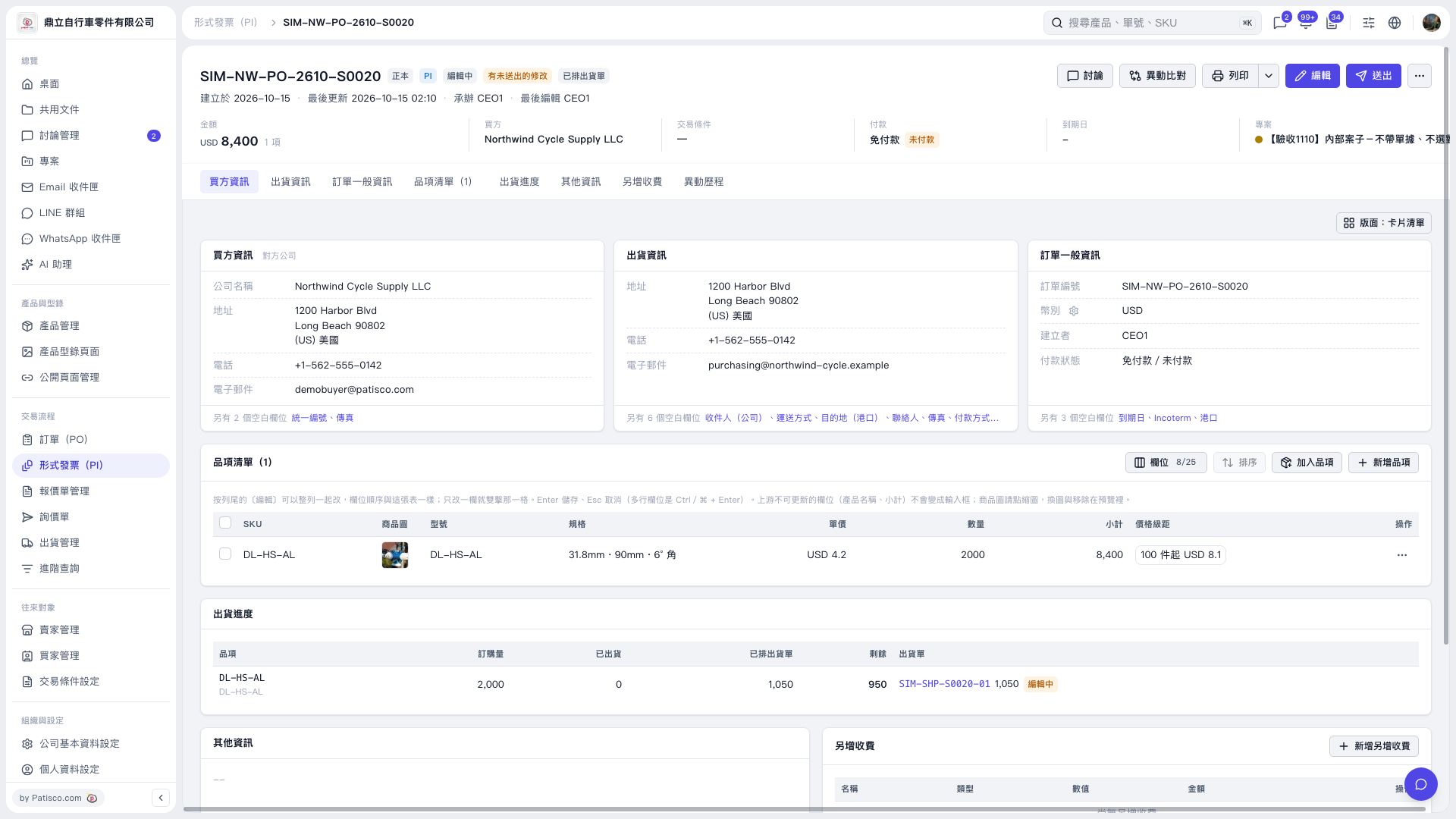
1. Find the item you want to change in the Proforma Invoice’s “Item list”. 2. Double-click the “Specifications” cell and enter or paste the item name, such as “UX Monitor dummy item”. 3. Press Enter to save. For multiline fields, press Ctrl/⌘ + Enter. To cancel, press Esc. 4. After confirming that the specifications, unit price, quantity, and subtotal are correct, click “Submit” at the top right. The current screen does not show a dedicated “Copy name to specifications” action. The steps above describe how to enter it manually.
 V5 新桌面版|SIM–NW–PO–2610–S0020