
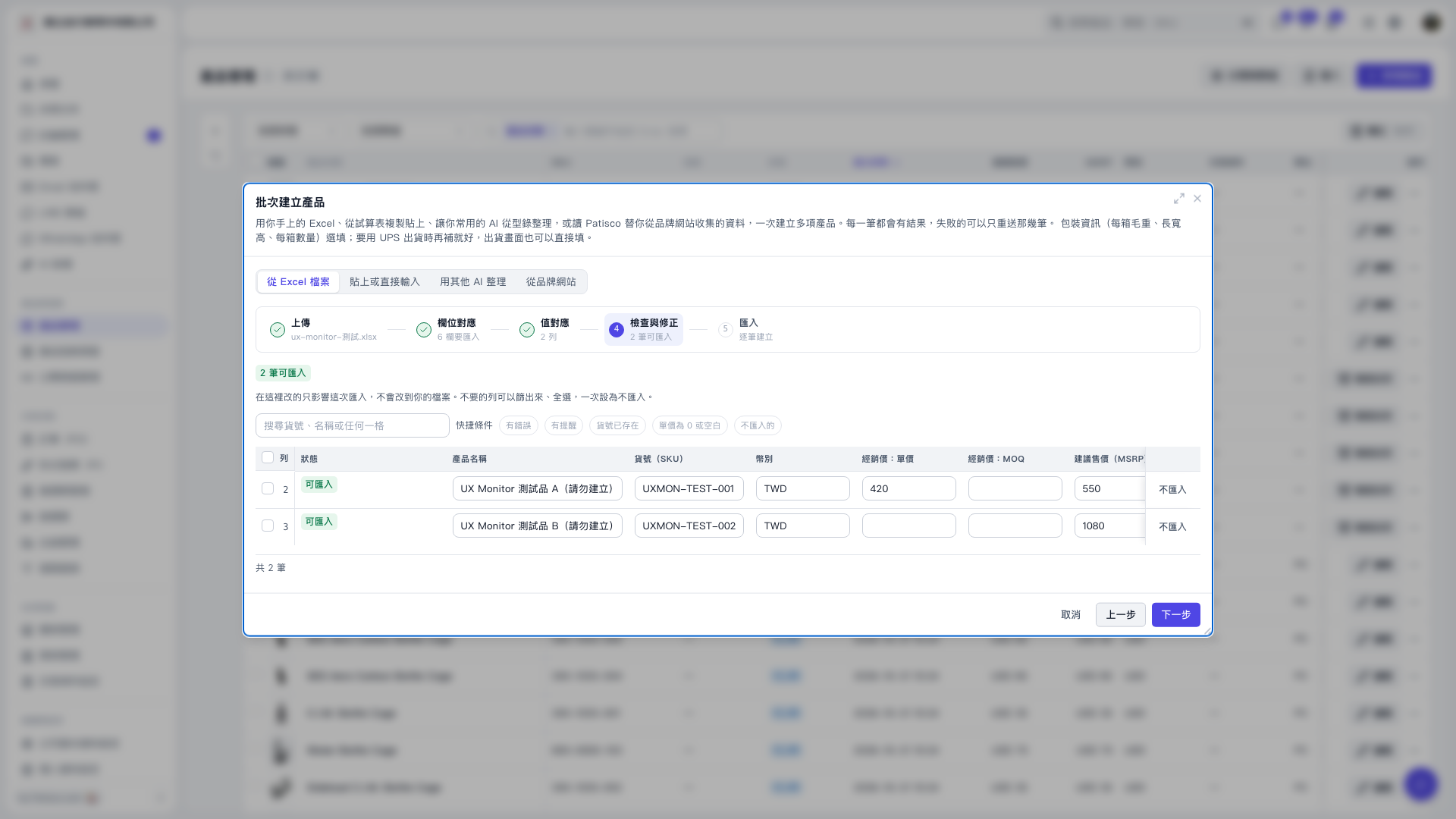
1. In the “Review and Correct” step of “Batch Create Products,” find the “Dealer Price: MOQ” field. 2. To specify an MOQ, enter the required value directly in the table. Changes here affect only this import and do not modify the original Excel file. 3. The AI assistant log for this session states that when MOQ is left blank, a default value of 1 is used when creating products, although the review screen still shows “Blank.” You can ask: “If MOQ is blank, what value will be used when the products are created?” The AI will reply: “If MOQ is left blank, a default value of 1 will be used when creating products.” 4. Confirm the data, then click “Next” in the bottom-right corner to proceed to the import step.
 V5 新桌面版|批次建立產品