
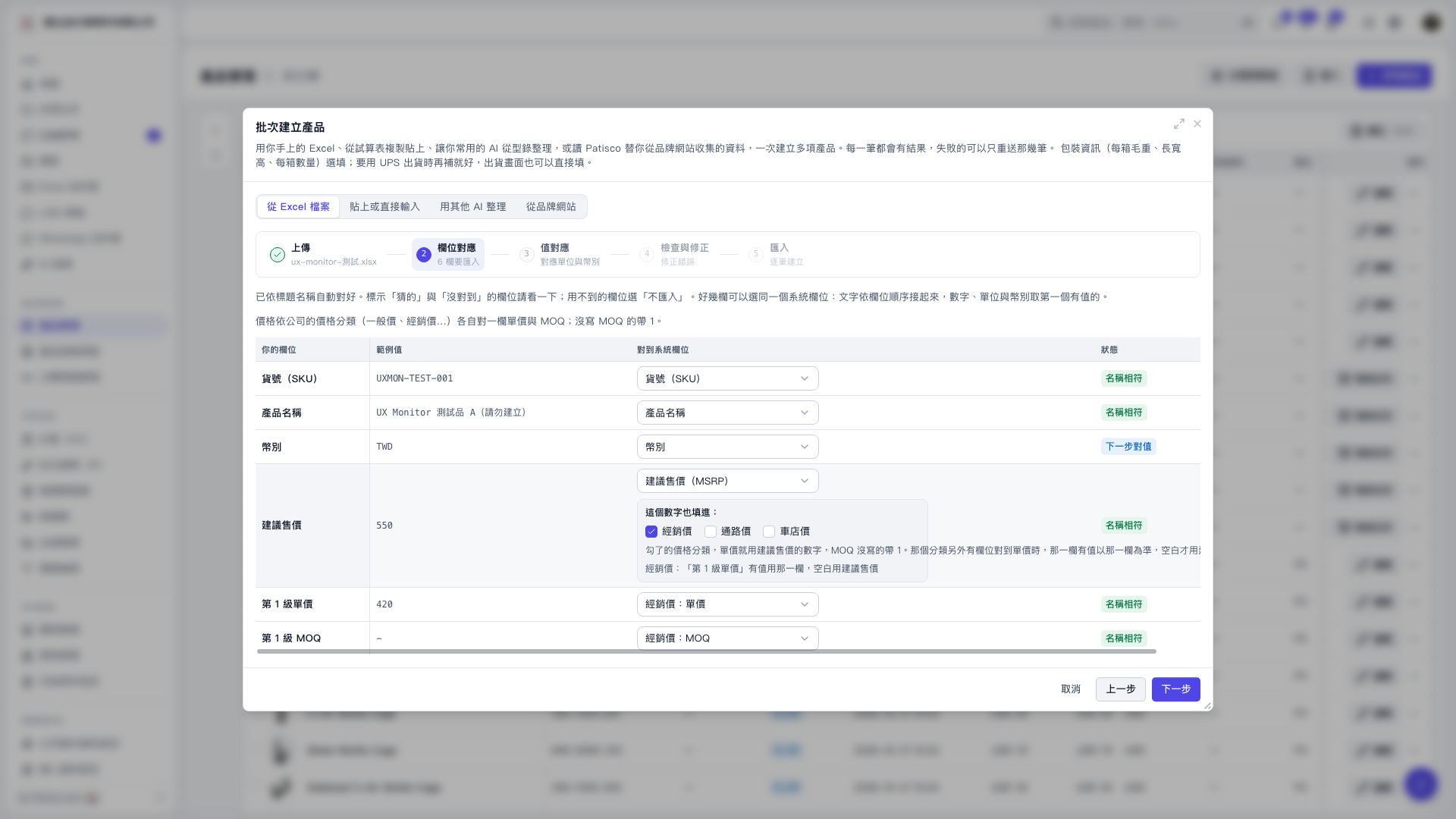
1. On the “From Excel File” tab in “Batch Create Products,” check “Your Fields” and “Sample Values.” 2. Check “Map to System Field” in each row and use the dropdown menus to correct the mappings. Select “Do Not Import” for fields you do not need. 3. Map the suggested retail price to “Suggested Retail Price (MSRP),” “Tier 1 Unit Price” to “Dealer Price: Unit Price,” and “Tier 1 MOQ” to “Dealer Price: MOQ.” 4. After confirming the mappings, click “Next” to map values such as currencies. Click “Previous” if you need to return to the upload step.
 V5 新桌面版|批次建立產品